
Technology
The Three Questions That Separate Risk Adjustment Vendors Built for Compliance From Those Built for Revenue


The Only Three Questions That Matter
Health plans spend weeks evaluating risk adjustment vendors through lengthy RFPs that cover dozens of criteria: technology capabilities, staffing models, pricing structures, implementation timelines, client references, security certifications, and integration architectures. These details matter operationally. But they don’t answer the question that determines whether the vendor relationship creates value or liability.
That question resolves into three sub-questions. Each one reveals whether the vendor was built for the compliance era or the capture era. Plans that ask all three and require documented proof for each answer will select the right vendor. Plans that skip them will discover the answers during an audit.
Question One: What Is Your Deletion Rate?
Ask the vendor for its average deletion rate across all client engagements for the past four quarters. The deletion rate (codes recommended for removal divided by codes recommended for addition) is the single most revealing metric for assessing vendor methodology.
A vendor with a meaningful deletion rate (5% or higher) demonstrates that its process evaluates documentation in both directions. Its coders and AI identify codes that should be removed, not just codes that should be added. Its program produces the balanced coding profiles that regulators expect from compliant supplemental data submission.
A vendor with a zero or near-zero deletion rate is operating an add-only methodology. The OIG’s February 2026 compliance guidance identified add-only chart reviews as a high-risk practice. DOJ settlements exceeding $670 million targeted programs with this exact design. A zero deletion rate doesn’t mean the vendor’s clients’ submissions are perfect. It means the vendor isn’t looking.
If the vendor can’t produce this metric at all, that’s the answer. The deletion rate isn’t tracked because deletions aren’t part of the process.
Question Two: Can You Show Me the AI’s Reasoning for a Specific Code?
Ask the vendor to demonstrate, on a real (de-identified) chart, how their AI arrived at a specific coding recommendation. You should see: which sentences in the clinical note the AI evaluated, which MEAT elements it identified, what evidence quality assessment it performed, and the reasoning chain connecting documentation to recommendation.
A vendor that can demonstrate this has explainable AI. Its coding decisions are auditable. Its evidence trails are built into the recommendation process. When CMS asks why a code was submitted, the plan can produce documentation that traces the decision back to specific clinical evidence and specific AI reasoning.
A vendor that shows you the chart and the recommended code, but can’t show the reasoning in between, has opaque AI. Its recommendations are unexaminable. Its evidence trails don’t exist at the decision level. When CMS asks “why,” the only answer is “the AI recommended it,” which isn’t an answer regulators accept.
Question Three: What Happens to My Data If This Relationship Ends?
Ask the vendor what data the plan owns, in what formats it can be exported, and on what timeline. Every coding decision, evidence trail, MEAT validation, quality review, and audit record the vendor produces should belong to the plan contractually. Export should be available in open, documented formats within 30 days. If the vendor claims proprietary ownership of evidence trails, or if export provisions are vague or absent, the plan’s compliance documentation is held hostage by the vendor relationship.
This question also tests the vendor’s confidence. Vendors that make data portable are confident the plan will stay because the work is good. Vendors that make data hard to extract are using lock-in to compensate for quality they can’t guarantee.
The Sorting Function
These three questions sort risk adjustment vendors into two groups. Vendors that produce meaningful deletion rates, demonstrate explainable AI reasoning, and guarantee data portability were built for the compliance era. They compete on defensibility because defensibility is what they produce. Vendors that can’t answer one or more of these questions were built for the capture era, and the enforcement environment that era operated in no longer exists. Plans that apply these three questions consistently will select partners whose methodology aligns with where regulation, enforcement, and payment policy are all heading.


In today’s connected world, Sharesome has become a term increasingly associated with digital sharing, collaboration, and content distribution. Whether you’re a business owner, content creator, marketer, or everyday internet user, understanding how sharing platforms work can help you improve productivity, increase engagement, and streamline communication.
As online collaboration continues to evolve, platforms focused on sharing information efficiently are becoming essential tools. This guide explores Sharesome, its potential uses, benefits, best practices, and how users can maximize value from modern sharing ecosystems.
What Is Sharesome?
Sharesome refers to a digital sharing concept or platform designed to facilitate the exchange of content, information, files, and resources among users. These systems are built to simplify collaboration while improving accessibility and communication.
At its core, Sharesome enables users to:
- Share digital content quickly
- Collaborate with teams remotely
- Exchange files securely
- Improve workflow efficiency
- Access shared resources from multiple devices
Why Content Sharing Matters
Digital sharing has transformed the way individuals and organizations operate. Instead of relying on physical storage or email attachments, users can instantly distribute information through cloud-based systems.
Benefits include:
- Faster communication
- Better teamwork
- Improved document management
- Reduced storage duplication
- Greater accessibility
How Sharesome Works
Most modern sharing platforms follow a similar framework that combines cloud technology, user permissions, and collaborative features.
Core Components
| Sharesome Feature | Purpose | Benefit |
|---|---|---|
| Cloud Storage | Stores shared content | Easy access anywhere |
| User Permissions | Controls access levels | Improved security |
| Collaboration Tools | Enables teamwork | Faster project completion |
| Version Tracking | Records updates | Prevents data loss |
| Cross-Device Access | Works on multiple devices | Greater flexibility |
The process usually involves uploading content, assigning access permissions, and sharing links or invitations with intended users.
Common Types of Shared Content
Users often exchange:
- Documents
- Images
- Videos
- Presentations
- Spreadsheets
- Project files
- Marketing assets
- Educational materials
Benefits of Using Sharesome
Improved Collaboration
Teams can work together regardless of location. Remote employees, freelancers, and international partners gain access to the same information in real time.
Enhanced Productivity
When files are centrally located, employees spend less time searching for documents and more time completing meaningful tasks.
Better Organization
A structured sharing environment helps businesses maintain consistency and prevent information silos.
Faster Decision-Making
Shared access allows stakeholders to review documents, provide feedback, and approve projects more efficiently.
Scalability
Whether serving a small startup or a large enterprise, modern sharing systems can scale alongside organizational growth.
Sharesome for Businesses
Businesses increasingly rely on digital sharing solutions to manage operations and communication.
Marketing Teams
Marketing departments use sharing platforms to distribute:
- Brand assets
- Campaign materials
- Design files
- Content calendars
- Analytics reports
Human Resources
HR teams often share:
- Employee handbooks
- Training resources
- Onboarding documents
- Internal policies
Project Management
Project managers benefit from centralized resources that keep teams aligned and informed.
Sharesome vs Traditional File Sharing
Traditional file-sharing methods often involve email attachments and local storage systems. Modern sharing platforms offer significantly greater flexibility.
| Feature | Traditional Sharing | Sharesome-Style Platforms |
|---|---|---|
| Accessibility | Limited | Global access |
| Collaboration | Minimal | Real-time collaboration |
| Storage Capacity | Device dependent | Cloud-based |
| Version Control | Difficult | Automated |
| Security Controls | Basic | Advanced |
| Scalability | Limited | Highly scalable |
This evolution explains why businesses increasingly migrate toward collaborative sharing solutions.
H2: Sharesome Best Practices for Maximum Efficiency
Using Sharesome effectively requires more than simply uploading files. Following best practices helps maximize productivity and security.
Organize Content Clearly
Create logical folder structures and naming conventions.
For example:
- Marketing Campaigns
- Sales Reports
- Client Documents
- Training Materials
Clear organization saves time and reduces confusion.
Define User Permissions
Not every user requires the same level of access.
Consider assigning:
- View-only permissions
- Comment access
- Editing rights
- Administrative privileges
Maintain Version Control
Version management prevents accidental overwrites and confusion regarding the latest document.
Encourage Team Standards
Establish guidelines for:
- File naming
- Folder structure
- Content approval
- Document updates
Consistency improves collaboration.
Security Considerations When Using Sharesome
Security remains one of the most important aspects of digital sharing.
Potential Risks
Common risks include:
- Unauthorized access
- Data leaks
- Weak passwords
- Phishing attacks
- Improper permission settings
Recommended Security Measures
| Security Practice | Purpose | Impact |
|---|---|---|
| Multi-Factor Authentication | Identity verification | Stronger protection |
| Access Controls | Restrict permissions | Reduced risk |
| Encryption | Secure data transfer | Enhanced privacy |
| Activity Monitoring | Detect suspicious actions | Faster response |
| Regular Audits | Review security posture | Better compliance |
Organizations should review sharing policies regularly to maintain strong protection.
Sharesome for Content Creators
Content creators depend heavily on efficient sharing systems.
Sharing Media Assets
Creators frequently distribute:
- Photos
- Videos
- Graphics
- Audio files
- Content drafts
Collaborating With Clients
Sharing platforms simplify client approvals by centralizing project resources.
Managing Large Files
Video creators and designers often work with large assets that exceed traditional email limits.
Cloud-based sharing helps solve this challenge.
Common Mistakes to Avoid
Many users fail to maximize the benefits of sharing platforms due to avoidable errors.
Using Poor File Names
Generic names like:
- Document1
- FinalVersion
- NewFile
create confusion.
Instead, use descriptive naming conventions.
Ignoring Permission Settings
Granting excessive access increases security risks.
Always apply the principle of least privilege.
Failing to Archive Old Files
Outdated content can clutter systems and reduce efficiency.
Skipping Security Updates
Software updates often include important security improvements.
Creating Duplicate Content
Multiple copies of the same file lead to version conflicts and wasted storage.
Practical Examples of Sharesome in Action
Example 1: Marketing Agency
A digital marketing agency stores campaign assets in a shared workspace.
Team members can:
- Upload creative materials
- Review revisions
- Approve designs
- Share reports with clients
This reduces communication delays.
Example 2: Educational Institution
Teachers distribute learning resources and assignments through a centralized sharing system.
Students access materials anytime from various devices.
Example 3: Remote Startup
A startup with employees across multiple countries uses collaborative sharing tools to manage projects, documentation, and internal communication.
The result is improved coordination and productivity.
Pros and Cons of Sharesome
Pros
- Easy collaboration
- Faster file access
- Improved productivity
- Better organization
- Scalable infrastructure
- Reduced email dependency
- Enhanced remote work capabilities
Cons
- Requires internet connectivity
- Potential security concerns
- Learning curve for new users
- Subscription costs for advanced features
- Dependence on platform reliability
Future Trends in Digital Sharing
The future of sharing technology continues to evolve rapidly.
Emerging trends include:
AI-Assisted Organization
Smarter categorization and search capabilities will help users locate content faster.
Enhanced Security
Advanced authentication and encryption technologies will strengthen protection.
Real-Time Collaboration Expansion
More interactive collaboration experiences will become standard.
Automation Integration
Automated workflows will reduce repetitive administrative tasks.
Cross-Platform Connectivity
Future sharing systems will integrate seamlessly across applications and devices.
How to Choose the Right Sharing Platform
When evaluating a sharing solution, consider the following factors:
- Security features
- Storage capacity
- Collaboration tools
- User experience
- Scalability
- Pricing structure
- Customer support
- Integration options
Organizations should align platform selection with their specific operational needs.
Conclusion
Sharesome represents the growing importance of efficient digital sharing and collaboration in modern work environments. As businesses, educators, and content creators continue to operate across distributed networks, the ability to share information securely and efficiently becomes increasingly valuable.
By implementing best practices, maintaining strong security standards, and organizing content effectively, users can maximize the benefits of sharing platforms while minimizing common challenges. As technology advances, digital sharing solutions will continue to play a central role in communication, productivity, and collaboration.
FAQs
1. What is Sharesome?
Sharesome is a content-sharing and collaboration concept that enables users to exchange files, resources, and information efficiently through digital platforms.
2. Who can benefit from Sharesome?
Businesses, educators, freelancers, content creators, remote teams, and organizations of all sizes can benefit from effective sharing systems.
3. Is Sharesome secure?
Security depends on the platform and user practices. Features such as encryption, access controls, and multi-factor authentication improve protection.
4. Can Sharesome improve productivity?
Yes. Centralized file access, collaboration tools, and streamlined workflows often help teams complete tasks more efficiently.
5. What should I look for in a sharing platform?
Focus on security, storage capacity, collaboration features, scalability, integrations, and ease of use.
/ You May Also Read /
Dexcom G6 App: Complete Guide to Features, Setup, Benefits, and Troubleshooting
Equinox App Guide: Features, Benefits, Membership Tools, and How to Get the Most From It

Introduction
The internet is filled with websites that promise quick access to information, tools, and resources. Among them, quick10sec com has attracted attention from users looking for fast online experiences and easy access to digital content. Whether you recently discovered the platform or are researching it before visiting, understanding its purpose, features, and usability can help you make informed decisions.
Many users search for details about quick10sec com because they want to know what the platform offers, how it works, and whether it provides value compared to similar websites. This guide covers everything from key features and benefits to best practices and common mistakes users should avoid.
By the end of this article, you will have a clear understanding of the platform and how to evaluate it effectively.
What Is Quick10sec com?
Quick10sec com is an online platform that users often encounter while searching for information, digital resources, or web-based content. Like many modern websites, it aims to provide a streamlined experience with easy navigation and quick access to relevant material.
Key Characteristics
Some commonly observed characteristics include:
- Simple website structure
- Fast access to content
- Mobile-friendly browsing experience
- Easy navigation menus
- Quick loading pages
- User-focused design approach
Why Users Search for It
People typically look for information about the platform because they want to:
- Understand its purpose
- Evaluate website credibility
- Learn about available features
- Compare it with alternatives
- Determine safety and reliability
Main Features of Quick10sec com
Understanding the primary features helps users determine whether the platform meets their needs.
User-Friendly Navigation
A website’s success often depends on how easily visitors can find information. Platforms that prioritize user experience typically organize content into logical sections and simplify navigation.
Benefits include:
- Faster content discovery
- Reduced confusion
- Better mobile usability
- Improved visitor satisfaction
Fast Accessibility
One notable aspect users often appreciate is speed. Quick-loading websites reduce waiting times and create a smoother browsing experience.
Mobile Compatibility
Modern internet users increasingly browse through smartphones and tablets. Responsive website design ensures content remains accessible across different screen sizes.
Information Availability
Many visitors use online platforms to locate information efficiently. A well-organized website structure can improve content accessibility and overall usability.
Quick10sec com Features Overview
| Feature Area | User Benefit | Importance |
|---|---|---|
| Fast Loading | Reduced wait times | High |
| Mobile Access | Better smartphone experience | High |
| Simple Navigation | Easy content discovery | High |
| Responsive Design | Works across devices | Medium |
| Content Organization | Improved usability | High |
Benefits of Using Quick10sec com
Users often evaluate websites based on convenience, accessibility, and efficiency. Several potential benefits contribute to a positive browsing experience.
Improved Convenience
A platform that delivers information quickly saves time and reduces frustration.
Advantages include:
- Less searching
- Faster access to resources
- Simplified browsing
- Better overall efficiency
Better User Experience
Good design contributes significantly to visitor satisfaction.
Elements that improve user experience include:
- Clear page layouts
- Consistent navigation
- Readable content
- Fast page performance
Accessibility Across Devices
Today’s users switch between laptops, tablets, and smartphones regularly. A responsive website allows seamless transitions between devices.
How to Evaluate Any Website Like Quick10sec com
When visiting any online platform, it is important to assess its quality and trustworthiness.
Check Website Security
Before interacting with any site, verify:
- Secure HTTPS connection
- Updated website structure
- Clear contact information
- Transparent policies
Review Content Quality
Reliable websites generally provide:
- Accurate information
- Well-structured content
- Updated resources
- Consistent formatting
Analyze User Experience
Consider:
- Loading speed
- Navigation quality
- Mobile responsiveness
- Content readability
Website Evaluation Checklist
| Evaluation Factor | What to Check | Why It Matters |
|---|---|---|
| Security | HTTPS and privacy protections | User safety |
| Performance | Loading speed | Better experience |
| Navigation | Easy menu structure | Faster browsing |
| Mobile Compatibility | Responsive design | Accessibility |
| Content Quality | Accurate information | Trustworthiness |
Quick10sec com and User Experience
User experience has become one of the most important ranking and engagement factors on the web.
Navigation Efficiency
Visitors prefer websites where they can quickly locate information without excessive clicking or searching.
Content Accessibility
Well-structured content improves:
- Reading experience
- Information retention
- User satisfaction
- Return visits
Device Optimization
A website optimized for multiple devices creates a consistent experience regardless of screen size.
Pros and Cons
Every platform has strengths and limitations. Understanding both sides helps users set realistic expectations.
Pros
- Easy to access
- User-friendly design
- Fast browsing experience
- Mobile compatibility
- Simplified navigation
Cons
- Features may vary over time
- Information availability may differ by section
- User expectations may vary
- Content updates may not always be predictable
Best Practices for Using Quick10sec com
To maximize your experience, follow several practical guidelines.
Use Updated Browsers
Modern browsers offer:
- Better compatibility
- Improved security
- Faster performance
- Enhanced user experience
Verify Information
Always cross-check important information from multiple reliable sources.
Bookmark Useful Pages
If you frequently access specific content, bookmarking can save time.
Maintain Security Awareness
Good browsing habits include:
- Using strong passwords
- Avoiding suspicious downloads
- Verifying website legitimacy
- Keeping software updated
Best Practice Framework
| Best Practice | Benefit | Recommended Frequency |
|---|---|---|
| Update Browser | Better performance | Regularly |
| Verify Information | Improved accuracy | Every visit |
| Check Security | Safer browsing | Before interactions |
| Review Updates | Access latest content | Periodically |
| Save Important Resources | Faster access | As needed |
Common Mistakes Users Should Avoid
Many internet users unintentionally reduce their browsing efficiency through avoidable mistakes.
Ignoring Security Indicators
Always check for security signs before sharing information online.
Assuming All Information Is Current
Website content may change over time. Verify publication dates when available.
Overlooking Mobile Optimization
Some users assume desktop and mobile experiences are identical. Testing both can reveal important differences.
Failing to Compare Resources
Comparing multiple sources often provides a broader understanding of a topic.
How Quick10sec com Compares to Modern Websites
Today’s successful websites share several common characteristics.
Speed
Users expect pages to load quickly. Slow websites often experience higher bounce rates.
Accessibility
Accessibility features improve usability for a broader audience.
Simplicity
Simple interfaces typically outperform overly complex designs.
Reliability
Consistent performance builds trust and encourages repeat visits.
Frequently Asked Questions About Quick10sec com
Is quick10sec com safe to use?
Users should always evaluate website security, including HTTPS protection, privacy practices, and overall credibility before sharing information online.
What is the main purpose of quick10sec com?
The platform appears to focus on providing accessible online content and resources through a streamlined user experience.
Can I access quick10sec com on mobile devices?
Most modern websites are designed to support smartphones and tablets through responsive layouts.
Why do users search for quick10sec com?
People often want to understand its features, benefits, credibility, and overall user experience.
How can I improve my experience on websites like quick10sec com?
Use updated browsers, verify information, follow security best practices, and bookmark valuable resources for future access.
Conclusion
Quick10sec com is a platform that attracts users interested in efficient online browsing and easy access to digital content. While every website should be evaluated individually, factors such as navigation, performance, mobile compatibility, and security remain important indicators of overall quality.
By understanding the platform’s potential features, benefits, and best practices, users can make informed decisions and enjoy a more productive browsing experience. Whether you are researching the site for the first time or looking to learn more about its functionality, focusing on usability, credibility, and security will help you get the most value from your online activities.
/ You May Also Read /
Harouxinn Explained: Meaning, Online Presence, and Why People Search for It
Glossywise com: A Complete Guide to Understanding the Platform and Its Digital Value
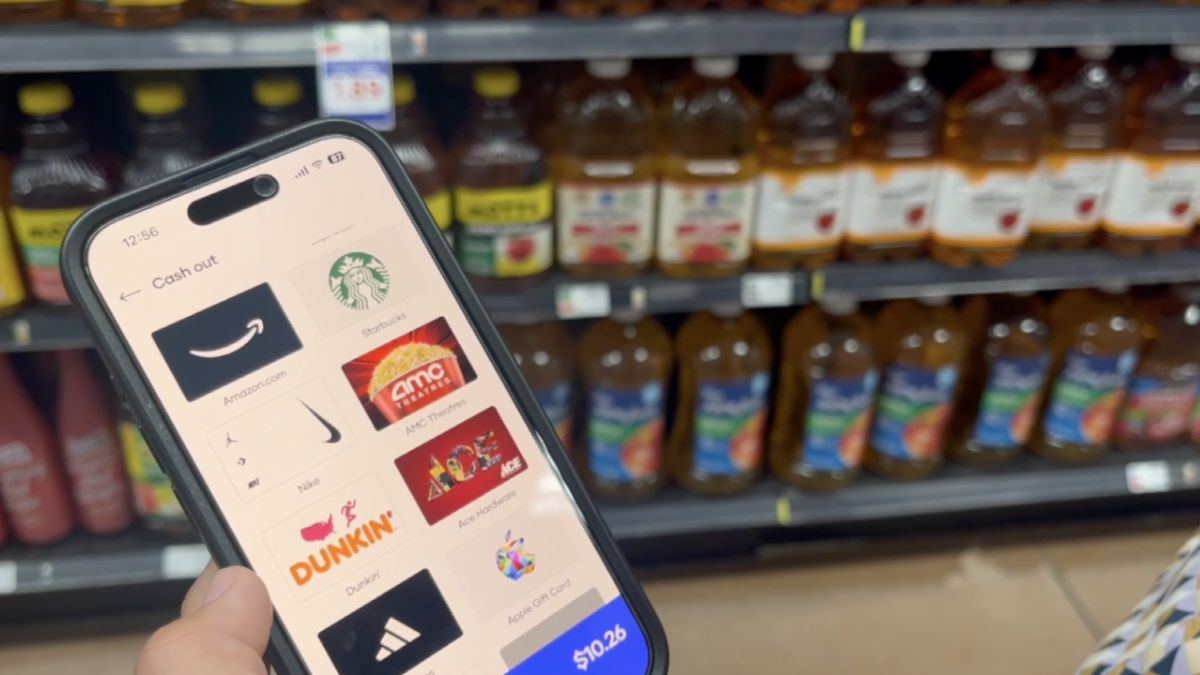
Shopping for groceries has changed dramatically over the past few years. Mobile technology now allows shoppers to save time, access exclusive discounts, and manage purchases directly from their smartphones. One tool that has gained popularity among regular grocery shoppers is the Fry’s mobile app.
The Fry’s mobile app helps customers browse products, clip digital coupons, track rewards, create shopping lists, and place online grocery orders. Whether you’re a frequent Fry’s customer or you’re considering downloading the app for the first time, understanding its features can help you maximize your savings and improve your shopping experience.
This guide covers everything you need to know, including features, benefits, setup instructions, common mistakes, and best practices.
What Is the Fry’s Mobile App?
The Fry’s mobile app is a grocery shopping application designed to help customers access Fry’s Food Stores services directly from their mobile devices.
The app combines shopping, rewards management, digital coupons, and online ordering into a single platform.
Key Functions
Users can:
- Browse weekly ads
- Access digital coupons
- Create shopping lists
- Track rewards points
- Order groceries online
- Schedule pickup or delivery
- View purchase history
- Refill prescriptions where available
- Manage account information
The app is designed to streamline grocery shopping while helping customers save money through personalized deals and promotions.
Main Features of the Fry’s Mobile App
Several features make the app useful for both occasional and frequent shoppers.
Digital Coupons
One of the most valuable tools is the digital coupon system.
Instead of carrying paper coupons, users can:
- Browse available offers
- Save coupons with one tap
- Apply discounts automatically during checkout
- Access personalized promotions
Weekly Ads
The app provides quick access to current promotions and sales.
Customers can:
- View discounted products
- Plan purchases ahead of time
- Compare pricing
- Build shopping lists around deals
Shopping Lists
Creating a digital shopping list can help reduce unnecessary purchases.
Benefits include:
- Better organization
- Easier budget management
- Faster shopping trips
- Reduced chances of forgetting items
Rewards Management
The app helps customers monitor loyalty rewards and available savings.
Users can:
- View reward balances
- Redeem available offers
- Track earning progress
- Access special member pricing
Benefits of Using the Fry’s Mobile App
Many shoppers download the app primarily for convenience, but the advantages extend much further.
Savings Opportunities
Digital coupons and personalized promotions often provide additional discounts that may not be available in-store.
Improved Shopping Efficiency
Instead of browsing aisles without a plan, customers can prepare their shopping lists in advance.
Better Budget Control
Price comparisons, rewards tracking, and coupon management make it easier to stay within a grocery budget.
Convenient Ordering
Online ordering allows customers to shop from home and schedule pickup or delivery.
Personalized Experience
The app can recommend products and offers based on shopping history and preferences.
Feature Comparison Table
| Feature | Benefit | Best For |
|---|---|---|
| Digital Coupons | Automatic savings | Budget-conscious shoppers |
| Weekly Ads | Deal discovery | Smart planners |
| Shopping Lists | Better organization | Families and busy shoppers |
| Rewards Tracking | Extra discounts | Frequent customers |
| Online Ordering | Time savings | Busy professionals |
| Pickup Scheduling | Convenience | Parents and commuters |
How to Get Started With the Fry’s Mobile App
Setting up the app is straightforward.
Step 1: Download the App
Search for the Fry’s mobile app in your device’s app store and install it.
Step 2: Create an Account
New users can register using:
- Email address
- Phone number
- Password
Existing loyalty members can connect their current accounts.
Step 3: Add Your Preferred Store
Selecting a home store ensures accurate pricing, inventory information, and local promotions.
Step 4: Enable Rewards
Link your rewards account to access personalized offers and savings.
Step 5: Start Saving Coupons
Browse available promotions and add relevant coupons before your next shopping trip.
How the App Helps You Save More
Many shoppers underestimate how much money can be saved through digital tools.
Coupon Stacking Opportunities
Customers can often combine:
- Sale prices
- Loyalty rewards
- Digital coupons
- Promotional offers
Personalized Discounts
The app may present offers based on previous purchases, making savings more relevant.
Price Awareness
Reviewing weekly ads before shopping can prevent impulse purchases and help identify better deals.
Savings Strategy Breakdown
| Savings Method | Effort Required | Potential Benefit |
|---|---|---|
| Digital Coupons | Low | Immediate discounts |
| Weekly Ads | Low | Lower product prices |
| Rewards Program | Medium | Long-term savings |
| Shopping Lists | Low | Reduced impulse spending |
| Online Ordering | Medium | Better spending control |
Online Grocery Ordering Through the App
Online grocery shopping has become a preferred option for many households.
Pickup Orders
Customers can:
- Shop from home
- Choose a pickup time
- Avoid store crowds
- Save time
Delivery Services
Depending on location, grocery delivery may also be available.
Benefits include:
- Convenience
- Flexible scheduling
- Reduced travel time
- Easy reordering of favorite products
Order Tracking
The app helps users monitor order status and receive updates regarding preparation and fulfillment.
Best Practices for Using the Fry’s Mobile App
Getting the most value from the app requires more than simply downloading it.
Check Coupons Before Every Shopping Trip
New offers are frequently added, and available discounts can change regularly.
Review Weekly Ads
Planning purchases around sales can significantly reduce grocery expenses.
Build Lists in Advance
Creating shopping lists before entering the store helps maintain focus and budgeting goals.
Track Rewards Frequently
Unused rewards may have expiration dates, so monitoring balances is important.
Update the App Regularly
Keeping the latest version ensures access to new features and security improvements.
Best Practices Summary Table
| Best Practice | Why It Matters |
|---|---|
| Clip Coupons Weekly | Maximizes savings opportunities |
| Monitor Rewards | Prevents missed benefits |
| Plan Around Sales | Reduces grocery costs |
| Use Shopping Lists | Improves organization |
| Keep App Updated | Enhances performance and security |
Pros and Cons of the Fry’s Mobile App
Pros
- Easy-to-use interface
- Convenient digital coupons
- Access to weekly promotions
- Grocery pickup options
- Rewards tracking
- Personalized deals
- Shopping list functionality
Cons
- Some features require account registration
- Certain offers may vary by location
- Internet connection is often required
- Delivery availability may differ depending on region
Common Mistakes Users Make
Many shoppers miss opportunities because they overlook important features.
Forgetting to Clip Coupons
Available discounts may not apply automatically unless coupons are added beforehand.
Ignoring Weekly Ads
Customers often pay more when they skip reviewing current promotions.
Not Linking Rewards Accounts
Without account linking, some benefits and personalized offers may be unavailable.
Shopping Without a List
Unplanned purchases can increase grocery spending significantly.
Missing Reward Deadlines
Unused rewards may expire before redemption.
Who Should Use the Fry’s Mobile App?
The app is suitable for a wide range of shoppers.
Families
Large households can benefit from better organization and ongoing savings.
Busy Professionals
Online ordering and pickup options help reduce shopping time.
Budget-Conscious Consumers
Coupon access and rewards programs support cost-saving goals.
Seniors
The app simplifies planning and provides access to promotions without handling paper coupons.
Frequently Asked Questions
Is the Fry’s mobile app free?
Yes. The app can typically be downloaded and used without any subscription fee.
Can I use digital coupons in-store?
Yes. Eligible digital coupons are usually applied when linked accounts are used during checkout.
Does the app support grocery pickup?
Yes. Many locations offer pickup services through the app.
Can I track rewards points?
Yes. Users can view rewards balances and available offers directly within the app.
Do I need an account to use all features?
Most advanced features, including rewards and personalized savings, require an account.
Conclusion
The Fry’s mobile app offers a practical way to simplify grocery shopping while increasing opportunities to save money. With features such as digital coupons, rewards tracking, online ordering, shopping lists, and weekly ads, the app serves as a valuable tool for modern shoppers.
Whether your goal is reducing grocery expenses, improving shopping efficiency, or managing rewards more effectively, the app provides multiple tools that support smarter purchasing decisions. By regularly checking promotions, maintaining shopping lists, and tracking rewards, users can get the greatest value from their grocery shopping experience.
/ You May Also Read /
Chipotle App Not Working? Complete Troubleshooting Guide to Fix Common Issues
Enhancing Mobile App Onboarding Through Subtle Guidance and Personalization
-

 Business1 month ago
Image Search Techniques: Smarter Ways to Find Accurate Visual Results Online
-

 Health1 month ago
Pravi Celer: Benefits, Uses, and How to Add It to Your Daily Diet
-

 Business1 month ago
Understanding the Idaho Policy Institute Formal Eviction Rate 2020 Shoshone County: Housing Stability Insights
-

 Technology4 weeks ago
Messagenal Explained: Features, Benefits, and How to Use It Effectively
-

 Sports3 weeks ago
AC Milan vs SSC Bari Timeline: Complete History, Key Matches, and Rivalry Moments
-

 Business1 month ago
Klar Partners Ltd / Oleter Group Platform Strategy: Building Scalable Digital Business Ecosystems
-

 Business2 months ago
Unlocking Business Potential: How Pedrovazpaulo Operations Consulting Transforms Organizations
-

 Art3 weeks ago
Unveiling the Impact of Pedro Vaz Paulo on Modern Art and Culture