
Apps
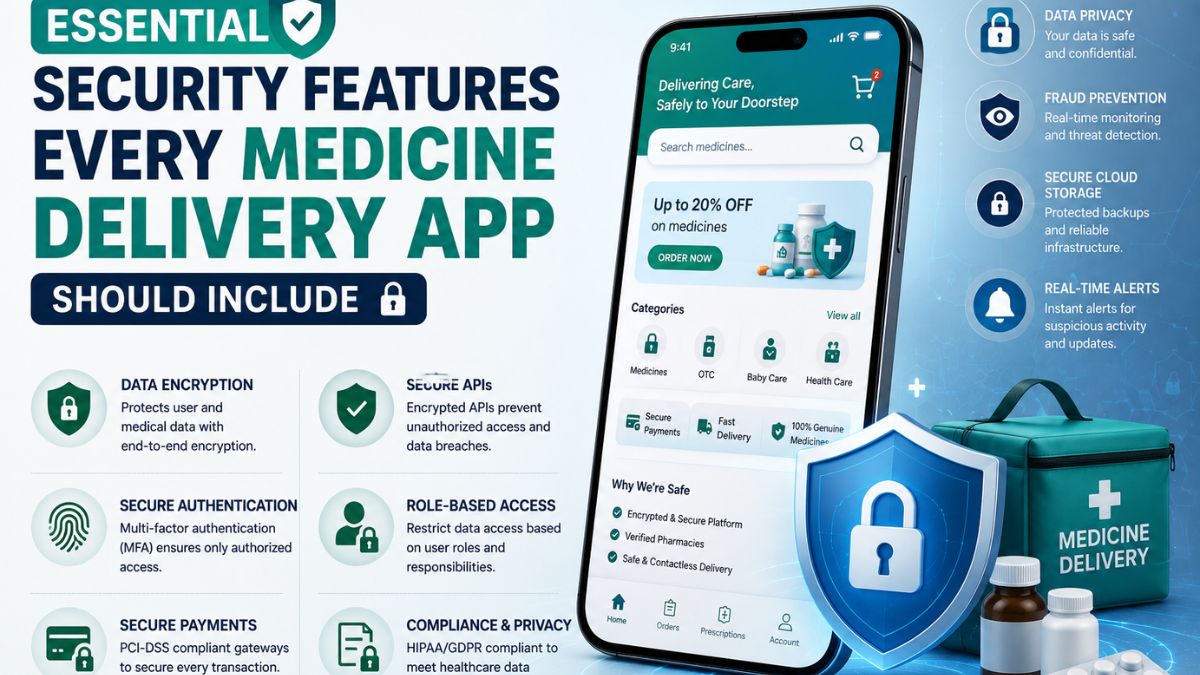
Essential Security Features Every Medicine Delivery App Should Include

Medicine delivery applications have transformed the way patients access healthcare by making prescriptions and over-the-counter medications available with just a few taps. From uploading prescriptions to tracking deliveries in real time, these apps simplify the purchasing process.
Their main goal is to improve convenience for users with busy schedules, chronic illnesses, or limited mobility. However, the convenience of digital healthcare comes with significant security responsibilities.
Medicine delivery apps manage highly sensitive information, including patient records, prescriptions, payment details, addresses, and personal identification. A single security vulnerability can expose confidential data, interrupt pharmacy operations, and undermine customer trust.
As cyber threats continue to evolve, developers must prioritize security throughout the application’s lifecycle. Integrating advanced protection mechanisms not only safeguards user information but also ensures regulatory compliance and strengthens the platform’s reliability.
Build Security into the Development Process
Security should never be considered a feature that is added after an application is completed. Instead, it must be integrated into every stage of planning, development, testing, and deployment.
Professional medicine delivery app development services focus on secure architecture, encrypted communications, protected databases, and continuous vulnerability assessments from the beginning of the project. This proactive approach reduces the likelihood of security flaws while creating a strong technical foundation that can support future growth.
Embedding security early also lowers maintenance costs by preventing expensive fixes after deployment. Building a secure medicine delivery application requires a comprehensive strategy that protects every interaction, from user authentication to order fulfillment.
Secure Features Begin with Smart Planning
Modern medicine delivery app features should be designed with user protection in mind rather than convenience alone. Every new capability, whether prescription uploads, payment processing, or delivery tracking, should undergo a security evaluation before implementation.
Security-focused planning helps developers identify potential attack vectors, apply appropriate access controls, and establish safe data handling practices without affecting the user experience. As a result, businesses can introduce innovative features while maintaining high standards of privacy and reliability.
-
Multi-Factor Authentication Protects User Accounts
Passwords alone are no longer sufficient to secure user accounts. Multi-factor authentication (MFA) adds a verification layer by requiring users to confirm their identity through another method before gaining access.
Common authentication options include:
- One-time passwords (OTP)
- Biometric verification
- Authentication applications
- Email verification
- Device recognition
Even if login credentials become compromised, unauthorized users cannot easily access patient accounts without completing additional verification. This simple security enhancement dramatically reduces account takeover attempts.
2.End-to-End Encryption Safeguards Sensitive Information
Medicine delivery applications continuously exchange confidential information between users, pharmacies, healthcare providers, and payment gateways. End-to-end encryption ensures that information remains unreadable while traveling across networks.
Encryption should protect:
- Personal information
- Medical prescriptions
- Payment details
- Delivery addresses
- Chat conversations
- Health records
Strong encryption standards such as AES-256 and TLS help prevent attackers from intercepting sensitive information during transmission. Encryption also supports compliance with healthcare privacy regulations across different markets.
3.Role-Based Access Control Prevents Unauthorized Access
Not every employee requires the same level of access. Role-Based Access Control (RBAC) assigns permissions based on specific job responsibilities.
For example:
- Pharmacists verify prescriptions
- Delivery personnel access customer addresses
- Customer support manages account inquiries
- Administrators oversee system settings
- Finance teams review payment records
Limiting permissions reduces the risk of accidental exposure or intentional misuse of confidential information. RBAC also simplifies auditing by clearly defining who can access different system resources.
4.Secure Prescription Upload and Verification
Prescription management is one of the most critical components of medicine delivery platforms. Applications should securely process uploaded documents while verifying authenticity before fulfilling orders.
Recommended security practices include:
- Encrypted file uploads
- Virus scanning
- Secure cloud storage
- Prescription validation
- Access logging
- Temporary download permissions
Automated verification systems can also reduce fraud while accelerating pharmacy approval processes. Patients benefit from faster order processing without sacrificing data protection.
5.API Security Protects Connected Systems
Medicine delivery applications rely on APIs to communicate with payment providers, pharmacy software, inventory systems, notification platforms, and healthcare databases. Poorly protected APIs often become entry points for cyberattacks.
API security should include:
- OAuth authentication
- JWT validation
- Rate limiting
- API gateways
- Input validation
- Request encryption
Every API request should be authenticated and monitored to prevent unauthorized access or malicious activity. Proper API management also improves application stability during periods of heavy traffic.
6.Secure Payment Processing Builds Customer Confidence
Digital payments remain one of the most sensitive areas of any healthcare application.
Payment systems should comply with recognized security standards while protecting customer financial information through:
- Tokenization
- PCI DSS compliance
- Secure payment gateways
- Fraud detection
- Transaction monitoring
- Payment encryption
Applications should never store complete card information directly within their databases. Instead, payment providers securely manage financial credentials while applications store encrypted transaction references. This approach significantly reduces financial risks.
7.Real-Time Monitoring Detects Threats Early
Cybersecurity does not end after deployment. Continuous monitoring allows businesses to detect suspicious behavior before security incidents escalate.
Monitoring systems track:
- Failed login attempts
- Unusual account activity
- Suspicious payment behavior
- API misuse
- Network anomalies
- Permission changes
- Device activity
Automated alerts enable technical teams to investigate and resolve issues quickly, minimizing potential damage. Proactive monitoring also strengthens long-term application reliability.
8.Protect Cloud Infrastructure
Most medicine delivery applications rely on cloud platforms for scalability and performance. Cloud security requires more than simply hosting data online.
Important cloud security measures include:
- Identity management
- Private networking
- Encrypted databases
- Backup automation
- Disaster recovery
- Secure cloud storage
- Continuous vulnerability scanning
Cloud providers offer numerous built-in security tools, but developers must configure them correctly to maximize protection. Well-managed cloud infrastructure reduces downtime while ensuring business continuity.
Regular Security Testing Strengthens Applications
Security testing helps identify vulnerabilities before attackers discover them.
Comprehensive testing includes:
- Penetration testing
- Vulnerability scanning
- Code reviews
- API security testing
- Authentication testing
- Performance testing
- Dependency analysis
Routine assessments allow development teams to fix weaknesses as new threats emerge. Security should remain an ongoing process rather than a one-time project.
Compliance Supports Long-Term Success
Medicine delivery applications operate within highly regulated industries. Maintaining compliance demonstrates a commitment to protecting customer information while reducing legal risks.
Depending on the target market, businesses may need to comply with regulations involving:
- Healthcare privacy
- Payment security
- Data protection
- Digital consent
- Medical record management
Maintaining accurate audit logs, secure authentication, encrypted storage, and documented security procedures simplifies compliance efforts while improving operational transparency.
Educate Users About Security Best Practices
Even the most secure application benefits from informed users.
Applications can encourage safer behavior by reminding customers to:
- Create strong passwords
- Enable multi-factor authentication
- Avoid public Wi-Fi during payments
- Update applications regularly
- Recognize phishing attempts
- Review account activity periodically
User education complements technical security controls and helps reduce preventable security incidents. Simple guidance can significantly improve overall platform safety.
Conclusion
Security is one of the most important foundations of a successful medicine delivery application. As these platforms continue handling sensitive healthcare information, developers must implement comprehensive safeguards. It assists in protecting user identities, medical records, prescriptions, payment transactions, and cloud infrastructure.
Features such as multi-factor authentication, secure APIs, role-based access controls, continuous monitoring, and regular security testing create multiple layers of defense against evolving cyber threats.
By making security an integral part of the development process rather than an afterthought. Businesses can build trustworthy medicine delivery applications that inspire customer confidence, support regulatory compliance, and maintain uninterrupted healthcare services.
In today’s digital healthcare landscape, investing in strong security is not simply a technical requirement. It is a critical factor in delivering safe, reliable, and future-ready patient experiences.
You May Also Read : Understanding Waveform Analysis in Electronic Testing
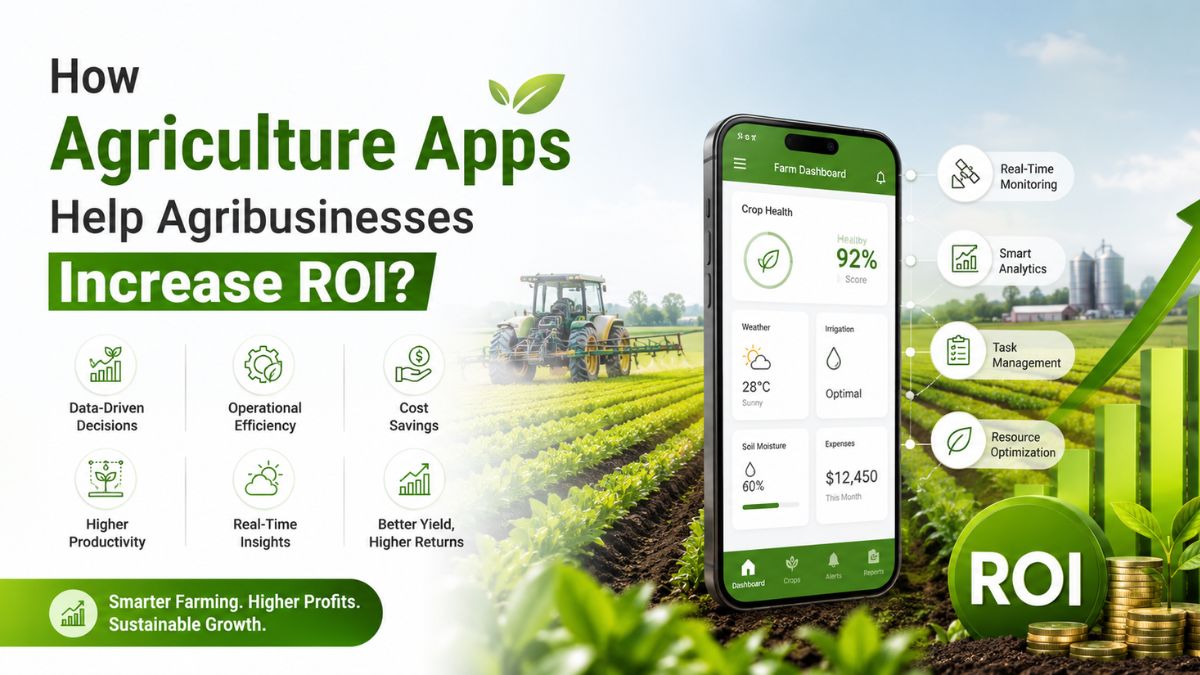
The agriculture industry is evolving rapidly. Farmers and agribusinesses now use mobile apps to manage daily operations. These apps help businesses improve productivity, reduce costs, and make better decisions.
Many agribusinesses still depend on manual processes and paper records. This often leads to delays, mistakes, and wasted resources. Agriculture apps solve these challenges by bringing important farm data into one place.
From crop management to livestock tracking, these apps support every stage of farming operations. They also help businesses increase efficiency and improve their return on investment.
In this guide, explore the key benefits of agriculture apps in maximising ROI and the different types of apps that help agribusinesses achieve long-term business growth.
Key Benefits of Agriculture Apps for Agribusinesses
Agriculture apps do much more than simplify farming activities. They help businesses improve daily operations, reduce unnecessary expenses, and make informed decisions. These advantages lead to better productivity, stronger profits, and higher ROI over time.
1. Maximize Productivity
Agriculture apps automate many routine tasks like scheduling, record-keeping, and field monitoring. This reduces manual work and allows farmers to focus on higher-value activities. It includes monitoring crops, equipment, and farm operations through a single platform.
Better productivity leads to healthier crops, smoother workflows, and improved business performance. Many businesses partner with an agriculture app development company to build a custom application to improve productivity and maximise ROI.
2. Increase Efficiency
Efficiency helps agribusinesses save time while improving overall performance. The agriculture apps organize multiple farming activities into an easy-to-use system. Business owners or farmers can manage workers, inventory, equipment, and field activities easily.
Higher efficiency helps businesses complete more work without increasing operational costs. All of this makes daily operations more organized and improves communication to create smoother business operations.
3. Educate Farmers
Agriculture apps provide useful information for better farming practices and business planning. Many apps offer farming guides, weather updates, market prices, pest management tips, and crop care recommendations.
This information helps farmers improve knowledge and productivity. Better knowledge reduces mistakes, improves planning, and supports long-term business growth. Therefore, using such information helps farmers make informed decisions.
4. Reduce Costs
Controlling expenses is essential for maximising ROI. Agriculture apps help businesses manage resources more efficiently and reduce unnecessary costs. Provides recommendations for fertilizer application, irrigation, and crop management.
Many businesses, while building an application, compare the cost to build an agriculture app with the revenue it can generate in the long term. Lower operating costs improve profit margins and increase long-term return on investment.
5. Improves Market Transparency
Agriculture apps help farmers with complete market transparency. Such applications allow farmers or agribusiness owners to interact directly with their buyers, investors, or sellers. It helps to reduce the dependency burden on other commodity suppliers.
Further, through market transparency, farmers will also get real-time updates on commodity prices, understand the market demand, and make suitable decisions. Thus, when farmers are updated about the latest prices, they make better revenue for their business in the long term.
Types of Agriculture Apps That Help Increase ROI
Different agriculture apps solve different business challenges. Each app focuses on improving specific farming operations while helping businesses reduce costs and increase profits. Selecting the right solution depends on your operational needs and long-term business goals.
►Farm Management Apps
Farm management apps bring multiple farming activities into one platform. They help businesses manage crops, workers, inventory, finances, and equipment more efficiently. Business owners can monitor daily operations, track expenses, and review farm performance from a single dashboard.
Better organization reduces manual work and improves business decision-making. As daily operations become more efficient, businesses increase productivity and achieve stronger financial returns.
►Weather Forecasting Apps
Weather has a direct impact on farming activities and crop production. Unexpected weather changes can delay operations and reduce crop quality. Weather forecasting apps provide timely weather updates and future forecasts. Businesses can plan irrigation, harvesting, spraying, and planting with greater confidence.
Better planning reduces weather-related losses and protects valuable resources. Accurate forecasts help businesses avoid unnecessary expenses while improving overall productivity.
►GPS Tracking and Field Mapping Apps
Managing large farms becomes much easier with GPS tracking technology. These apps help businesses monitor fields, equipment, and farming activities more effectively. Managers can optimize travel routes, reduce fuel consumption, and allocate resources more efficiently.
Field mapping also identifies areas that require additional attention during different crop growth stages. Better resource management improves productivity while lowering operational costs.
►Livestock Management Apps
Livestock businesses require continuous monitoring to maintain healthy animals and stable production. Livestock management apps simplify these daily responsibilities. These apps track feeding schedules, breeding records, vaccinations, and animal health information in one place.
Automatic reminders help farmers complete important tasks on time. Livestock improves production while reducing veterinary expenses and operational risks.
►Agricultural Lending Apps
Financial support plays an important role in business expansion. Agricultural lending apps help farmers and agribusinesses access funding more quickly and easily. These apps simplify loan applications and reduce paperwork. Businesses can secure funds for machinery, irrigation systems, equipment upgrades, or farm expansion.
Faster access to financing allows businesses to invest in better technology and improve productivity. Strong financial support creates more opportunities for long-term business growth and higher returns.
Conclusion
Agriculture apps have become valuable business tools for modern agribusinesses. They help businesses maximize productivity, improve efficiency, reduce operating costs, and make smarter business decisions.
These apps help educate farmers with valuable insights while simplifying everyday farm management. Whether managing crops, livestock, equipment, finances, or weather planning, agriculture apps improve every stage of agricultural operations.
One of the important benefits of agriculture business in maximising ROI is that it supports transparent market insights. It helps to eliminate unnecessary middlemen and allows farmers to directly connect with buyers.
Different types of agriculture apps address different business needs. Farm management, weather forecasting, GPS tracking, livestock management, and agricultural lending apps all contribute to better operational performance and stronger financial results.
For startups and established agribusinesses, investing in the right agriculture app is a practical business decision. It helps improve efficiency, strengthen profitability, and build a future-ready agricultural business in an increasingly competitive market.
You May Also Read : What Is Incestflox? Understanding the Online Search Term and Internet Safety

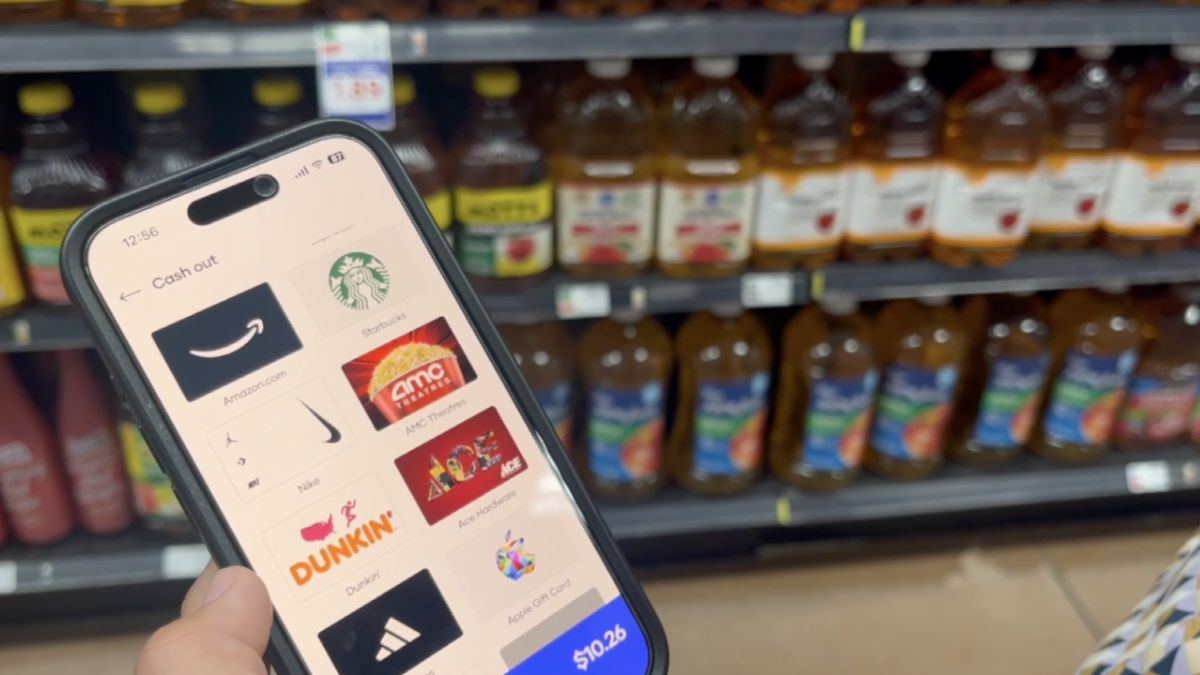
Shopping for groceries has changed dramatically over the past few years. Mobile technology now allows shoppers to save time, access exclusive discounts, and manage purchases directly from their smartphones. One tool that has gained popularity among regular grocery shoppers is the Fry’s mobile app.
The Fry’s mobile app helps customers browse products, clip digital coupons, track rewards, create shopping lists, and place online grocery orders. Whether you’re a frequent Fry’s customer or you’re considering downloading the app for the first time, understanding its features can help you maximize your savings and improve your shopping experience.
This guide covers everything you need to know, including features, benefits, setup instructions, common mistakes, and best practices.
What Is the Fry’s Mobile App?
The Fry’s mobile app is a grocery shopping application designed to help customers access Fry’s Food Stores services directly from their mobile devices.
The app combines shopping, rewards management, digital coupons, and online ordering into a single platform.
Key Functions
Users can:
- Browse weekly ads
- Access digital coupons
- Create shopping lists
- Track rewards points
- Order groceries online
- Schedule pickup or delivery
- View purchase history
- Refill prescriptions where available
- Manage account information
The app is designed to streamline grocery shopping while helping customers save money through personalized deals and promotions.
Main Features of the Fry’s Mobile App
Several features make the app useful for both occasional and frequent shoppers.
Digital Coupons
One of the most valuable tools is the digital coupon system.
Instead of carrying paper coupons, users can:
- Browse available offers
- Save coupons with one tap
- Apply discounts automatically during checkout
- Access personalized promotions
Weekly Ads
The app provides quick access to current promotions and sales.
Customers can:
- View discounted products
- Plan purchases ahead of time
- Compare pricing
- Build shopping lists around deals
Shopping Lists
Creating a digital shopping list can help reduce unnecessary purchases.
Benefits include:
- Better organization
- Easier budget management
- Faster shopping trips
- Reduced chances of forgetting items
Rewards Management
The app helps customers monitor loyalty rewards and available savings.
Users can:
- View reward balances
- Redeem available offers
- Track earning progress
- Access special member pricing
Benefits of Using the Fry’s Mobile App
Many shoppers download the app primarily for convenience, but the advantages extend much further.
Savings Opportunities
Digital coupons and personalized promotions often provide additional discounts that may not be available in-store.
Improved Shopping Efficiency
Instead of browsing aisles without a plan, customers can prepare their shopping lists in advance.
Better Budget Control
Price comparisons, rewards tracking, and coupon management make it easier to stay within a grocery budget.
Convenient Ordering
Online ordering allows customers to shop from home and schedule pickup or delivery.
Personalized Experience
The app can recommend products and offers based on shopping history and preferences.
Feature Comparison Table
| Feature | Benefit | Best For |
|---|---|---|
| Digital Coupons | Automatic savings | Budget-conscious shoppers |
| Weekly Ads | Deal discovery | Smart planners |
| Shopping Lists | Better organization | Families and busy shoppers |
| Rewards Tracking | Extra discounts | Frequent customers |
| Online Ordering | Time savings | Busy professionals |
| Pickup Scheduling | Convenience | Parents and commuters |
How to Get Started With the Fry’s Mobile App
Setting up the app is straightforward.
Step 1: Download the App
Search for the Fry’s mobile app in your device’s app store and install it.
Step 2: Create an Account
New users can register using:
- Email address
- Phone number
- Password
Existing loyalty members can connect their current accounts.
Step 3: Add Your Preferred Store
Selecting a home store ensures accurate pricing, inventory information, and local promotions.
Step 4: Enable Rewards
Link your rewards account to access personalized offers and savings.
Step 5: Start Saving Coupons
Browse available promotions and add relevant coupons before your next shopping trip.
How the App Helps You Save More
Many shoppers underestimate how much money can be saved through digital tools.
Coupon Stacking Opportunities
Customers can often combine:
- Sale prices
- Loyalty rewards
- Digital coupons
- Promotional offers
Personalized Discounts
The app may present offers based on previous purchases, making savings more relevant.
Price Awareness
Reviewing weekly ads before shopping can prevent impulse purchases and help identify better deals.
Savings Strategy Breakdown
| Savings Method | Effort Required | Potential Benefit |
|---|---|---|
| Digital Coupons | Low | Immediate discounts |
| Weekly Ads | Low | Lower product prices |
| Rewards Program | Medium | Long-term savings |
| Shopping Lists | Low | Reduced impulse spending |
| Online Ordering | Medium | Better spending control |
Online Grocery Ordering Through the App
Online grocery shopping has become a preferred option for many households.
Pickup Orders
Customers can:
- Shop from home
- Choose a pickup time
- Avoid store crowds
- Save time
Delivery Services
Depending on location, grocery delivery may also be available.
Benefits include:
- Convenience
- Flexible scheduling
- Reduced travel time
- Easy reordering of favorite products
Order Tracking
The app helps users monitor order status and receive updates regarding preparation and fulfillment.
Best Practices for Using the Fry’s Mobile App
Getting the most value from the app requires more than simply downloading it.
Check Coupons Before Every Shopping Trip
New offers are frequently added, and available discounts can change regularly.
Review Weekly Ads
Planning purchases around sales can significantly reduce grocery expenses.
Build Lists in Advance
Creating shopping lists before entering the store helps maintain focus and budgeting goals.
Track Rewards Frequently
Unused rewards may have expiration dates, so monitoring balances is important.
Update the App Regularly
Keeping the latest version ensures access to new features and security improvements.
Best Practices Summary Table
| Best Practice | Why It Matters |
|---|---|
| Clip Coupons Weekly | Maximizes savings opportunities |
| Monitor Rewards | Prevents missed benefits |
| Plan Around Sales | Reduces grocery costs |
| Use Shopping Lists | Improves organization |
| Keep App Updated | Enhances performance and security |
Pros and Cons of the Fry’s Mobile App
Pros
- Easy-to-use interface
- Convenient digital coupons
- Access to weekly promotions
- Grocery pickup options
- Rewards tracking
- Personalized deals
- Shopping list functionality
Cons
- Some features require account registration
- Certain offers may vary by location
- Internet connection is often required
- Delivery availability may differ depending on region
Common Mistakes Users Make
Many shoppers miss opportunities because they overlook important features.
Forgetting to Clip Coupons
Available discounts may not apply automatically unless coupons are added beforehand.
Ignoring Weekly Ads
Customers often pay more when they skip reviewing current promotions.
Not Linking Rewards Accounts
Without account linking, some benefits and personalized offers may be unavailable.
Shopping Without a List
Unplanned purchases can increase grocery spending significantly.
Missing Reward Deadlines
Unused rewards may expire before redemption.
Who Should Use the Fry’s Mobile App?
The app is suitable for a wide range of shoppers.
Families
Large households can benefit from better organization and ongoing savings.
Busy Professionals
Online ordering and pickup options help reduce shopping time.
Budget-Conscious Consumers
Coupon access and rewards programs support cost-saving goals.
Seniors
The app simplifies planning and provides access to promotions without handling paper coupons.
Frequently Asked Questions
Is the Fry’s mobile app free?
Yes. The app can typically be downloaded and used without any subscription fee.
Can I use digital coupons in-store?
Yes. Eligible digital coupons are usually applied when linked accounts are used during checkout.
Does the app support grocery pickup?
Yes. Many locations offer pickup services through the app.
Can I track rewards points?
Yes. Users can view rewards balances and available offers directly within the app.
Do I need an account to use all features?
Most advanced features, including rewards and personalized savings, require an account.
Conclusion
The Fry’s mobile app offers a practical way to simplify grocery shopping while increasing opportunities to save money. With features such as digital coupons, rewards tracking, online ordering, shopping lists, and weekly ads, the app serves as a valuable tool for modern shoppers.
Whether your goal is reducing grocery expenses, improving shopping efficiency, or managing rewards more effectively, the app provides multiple tools that support smarter purchasing decisions. By regularly checking promotions, maintaining shopping lists, and tracking rewards, users can get the greatest value from their grocery shopping experience.
/ You May Also Read /
Chipotle App Not Working? Complete Troubleshooting Guide to Fix Common Issues
Enhancing Mobile App Onboarding Through Subtle Guidance and Personalization

Managing diabetes has become easier thanks to modern continuous glucose monitoring technology. The Dexcom G6 app plays a central role in helping users track glucose levels directly from their smartphones without relying solely on traditional fingerstick testing.
Whether you’re new to continuous glucose monitoring or considering a switch to a more advanced solution, understanding how the app works can help you make the most of its features. This guide covers everything from setup and benefits to troubleshooting common issues and best practices.
What Is the Dexcom G6 App?
The Dexcom G6 app is a mobile application designed to work with the Dexcom G6 Continuous Glucose Monitoring (CGM) system. It allows users to view real-time glucose readings, receive alerts, track trends, and share data with caregivers or healthcare providers.
Instead of manually checking blood glucose levels multiple times per day, users can access readings directly from a compatible smartphone.
Key Functions of the App
The app helps users:
- Monitor glucose levels in real time
- View glucose trend graphs
- Receive high and low glucose alerts
- Share readings with family members
- Access historical glucose data
- Improve diabetes management decisions
How Continuous Glucose Monitoring Works
The system uses a small sensor placed under the skin. This sensor measures glucose levels in interstitial fluid and sends data to a transmitter. The transmitter then communicates with the app, providing updates every few minutes.
Main Features of the Dexcom G6 App
The popularity of the app comes from its combination of convenience and advanced monitoring tools.
Real-Time Glucose Monitoring
Users receive continuous updates throughout the day and night. This allows for quicker responses to changing glucose levels.
Customizable Alerts
The app can notify users when glucose levels rise above or fall below preset thresholds.
Benefits include:
- Early warning of potential problems
- Reduced risk of severe glucose events
- Better overnight monitoring
Trend Analysis
Trend arrows indicate whether glucose levels are:
- Rising rapidly
- Rising slowly
- Stable
- Falling slowly
- Falling rapidly
This information helps users make informed decisions regarding food, exercise, and medication.
Data Sharing
One of the most useful features is remote monitoring. Family members and caregivers can receive glucose updates through companion applications.
Dexcom G6 App Features Overview
| Feature | Purpose | User Benefit |
|---|---|---|
| Real-Time Monitoring | Continuous glucose tracking | Better daily management |
| Custom Alerts | Notifications for glucose changes | Faster response times |
| Trend Arrows | Shows glucose direction | Improved decision-making |
| Data Sharing | Share readings remotely | Caregiver support |
| Historical Reports | Analyze past trends | Better long-term planning |
| Smartphone Access | Mobile monitoring | Greater convenience |
How to Set Up the Dexcom G6 App
Setting up the application is usually straightforward when following the correct steps.
Step 1: Download the App
Install the app from the appropriate mobile app store for your device.
Step 2: Create an Account
Register a user account and verify the required information.
Step 3: Insert the Sensor
Follow the instructions included with the CGM system to place the sensor correctly.
Step 4: Pair the Transmitter
Connect the transmitter to the mobile application using the transmitter serial number.
Step 5: Start Sensor Session
After pairing, begin a new sensor session and allow the warm-up period to complete.
Step 6: Verify Notifications
Ensure notification permissions are enabled so alerts can function properly.
Benefits of Using the Dexcom G6 App
The app offers significant advantages compared to traditional monitoring methods.
Improved Glucose Awareness
Continuous data provides a clearer picture of glucose patterns throughout the day.
Better Diabetes Management
With more information available, users can identify factors that affect glucose levels, including:
- Meals
- Physical activity
- Stress
- Sleep patterns
- Medication timing
Reduced Fingersticks
Many users appreciate the reduced need for routine fingerstick testing, making daily management more comfortable.
Enhanced Safety
Real-time alerts can help prevent severe high or low glucose events before they become emergencies.
Dexcom G6 App vs Traditional Glucose Monitoring
| Feature | Dexcom G6 App | Traditional Testing |
|---|---|---|
| Continuous Monitoring | Yes | No |
| Real-Time Alerts | Yes | No |
| Trend Tracking | Yes | Limited |
| Overnight Monitoring | Yes | No |
| Data Sharing | Yes | Limited |
| Convenience | High | Moderate |
Compatible Devices and Requirements
Before installation, users should verify device compatibility.
Smartphone Compatibility
The app generally supports:
- Selected Android devices
- Compatible iPhone models
- Updated operating systems
Compatibility updates may vary over time, so checking current requirements is recommended.
Internet Connectivity
While glucose readings can often display locally, internet access may be required for:
- Data sharing
- Cloud synchronization
- Software updates
Bluetooth Connection
Bluetooth remains essential for communication between the transmitter and smartphone.
Common Dexcom G6 App Problems and Solutions
Even reliable applications occasionally experience issues.
Bluetooth Connection Problems
Symptoms may include:
- Missing readings
- Sensor disconnects
- Delayed updates
Solutions:
- Restart Bluetooth
- Restart the smartphone
- Move closer to the transmitter
- Ensure Bluetooth permissions remain enabled
App Not Receiving Data
Possible causes include:
- Closed background processes
- Operating system restrictions
- Signal interference
Users should verify app permissions and background activity settings.
Sensor Session Errors
If sensor sessions fail unexpectedly:
- Check transmitter pairing
- Confirm sensor insertion
- Restart the application
- Contact support if problems continue
Alert Notifications Not Working
Notification issues often occur because:
- Alerts are muted
- Battery optimization limits background activity
- System permissions are disabled
Review all notification settings carefully.
Common Issues and Quick Fixes
| Problem | Likely Cause | Quick Fix |
|---|---|---|
| No Readings | Bluetooth issue | Reconnect device |
| Missing Alerts | Permissions disabled | Enable notifications |
| Sync Failure | Internet problem | Check connection |
| Sensor Error | Sensor issue | Restart session |
| App Crashes | Software conflict | Update app |
| Delayed Data | Signal interruption | Move phone closer |
Best Practices for Using the Dexcom G6 App
Following proven practices can improve performance and reliability.
Keep Software Updated
Updates often include:
- Security improvements
- Bug fixes
- New features
- Enhanced compatibility
Maintain Bluetooth Connectivity
Avoid disabling Bluetooth unless necessary.
Monitor Battery Levels
Low battery levels may interrupt communication between devices.
Review Trends Regularly
Looking beyond individual readings helps identify long-term patterns.
Use Data Sharing Features
Family members or caregivers can provide additional support when needed.
Pros and Cons
Pros
- Continuous glucose monitoring
- Real-time alerts
- Easy smartphone access
- Data sharing capabilities
- Trend analysis tools
- Reduced fingerstick requirements
Cons
- Requires compatible devices
- Bluetooth dependence
- Sensor replacement costs
- Occasional connectivity issues
- Learning curve for new users
Common Mistakes to Avoid
Many users can improve their experience by avoiding a few common errors.
Ignoring Alert Settings
Default settings may not fit every user’s needs.
Delaying App Updates
Older versions can cause compatibility problems.
Disabling Bluetooth
Turning Bluetooth off interrupts communication with the CGM system.
Overlooking Trend Data
Individual readings are important, but trends often provide more valuable insights.
Forgetting Device Compatibility Checks
Unsupported devices may cause installation or performance issues.
Who Should Use the Dexcom G6 App?
The app may be beneficial for:
- Individuals with Type 1 diabetes
- Individuals with Type 2 diabetes using insulin
- Parents monitoring children’s glucose levels
- Caregivers supporting loved ones
- Healthcare teams reviewing glucose trends
However, healthcare providers should always be consulted before making treatment decisions.
The Future of Mobile Glucose Monitoring
Mobile health technology continues to evolve rapidly. Continuous glucose monitoring systems are becoming smarter, more accurate, and easier to use.
Future developments may include:
- Improved predictive alerts
- Enhanced integration with wearable devices
- More detailed health insights
- Better data analytics
- Expanded remote monitoring capabilities
These innovations could further simplify diabetes management while improving health outcomes.
Conclusion
The Dexcom G6 app has transformed how many people monitor and manage glucose levels. With real-time readings, customizable alerts, trend tracking, and data-sharing features, it provides valuable insights that support daily diabetes management.
While occasional technical issues can occur, most problems are easy to resolve with proper setup and maintenance. By following best practices, keeping software updated, and using available features effectively, users can maximize the benefits of continuous glucose monitoring and gain greater confidence in managing their health.
Frequently Asked Questions
1. Is the Dexcom G6 app free to download?
Yes, the application is generally available as a free download, although using the CGM system requires compatible hardware.
2. Does the Dexcom G6 app require internet access?
Internet access is not always required for local glucose readings, but it may be necessary for sharing data and syncing information.
3. Can family members view glucose readings remotely?
Yes, approved caregivers and family members can receive shared glucose data through companion applications.
4. What happens if Bluetooth is turned off?
The app will stop receiving glucose updates until Bluetooth communication is restored.
5. How often does the app update glucose readings?
The system typically provides updated glucose information every few minutes throughout the day.
/ You May Also Read /
Equinox App Guide: Features, Benefits, Membership Tools, and How to Get the Most From It
Orgasamtrix: The Complete Guide to Understanding This Emerging Concept
-

 Business5 months ago
Image Search Techniques: Smarter Ways to Find Accurate Visual Results Online
-
Health4 months ago
Why Are So Many Autistic Girls and Women Still Missing Out on Early Identification?
-

 Lifestyle7 months ago
Sustainable Ways to Buy and Sell Antiques
-

 Sports4 months ago
Ultimate Pragmatic Juara100.org Medal Achievement Guide for Maximum Rewards
-

 Technology5 months ago
TabooTube: What It Is, How It Works, and Whether It’s Worth Your Time
-

 Health5 months ago
Pravi Celer: Benefits, Uses, and How to Add It to Your Daily Diet
-

 Technology7 months ago
Top Features of ProgramGeeks Social You Didn’t Know About
-

 Education5 months ago
Soutaipasu Explained: Meaning, Uses, and Why It’s Gaining Attention