
Business
Workday Success Blueprint: Smart Implementation Steps for Modern Enterprises


A modern business cannot do without an effective system that will integrate management of its personnel, financial resources, and operations. A successful move towards integration will make the company’s work more visible and efficient. In this connection, Workday ERP implementation is very important for every organization that wants to streamline operations. But technology by itself will not ensure success. The right approach will be a necessary component of successful integration.
Setting Clear Vision and Business Alignment
No successful deployment can take place without having an established vision first. The organization needs to know what needs to be accomplished at the very beginning. It is about aligning all involved parties from the leadership level through IT and regular business employees regarding the objectives that need to be accomplished, regardless of whether they pertain to HR, payroll, or financial departments. In the case of a good governance model, all decisions will be consistent and timely.
Process Mapping Prior to the System Configuration
Prior to configuring the system, it is necessary to know the enterprise’s existing processes. The process of mapping allows for the revelation of gaps and inefficient practices. Instead of implementing existing practices into the new system, enterprises should consider redrawing the processes according to what Workday offers. Such an approach will save a lot of time in the future.
Data Migration Planning and Validation
Data is considered one of the most delicate aspects when it comes to the execution of the enterprise project. Companies should take special care when migrating data. It involves cleaning outdated information, developing rules for data transfer, and performing validation. Multiple cycles of testing are needed to ensure its accuracy. Low-quality data can cause serious problems during payroll processing and the production of reports. A proper migration process allows starting work on a reliable platform.
Testing Quite Frequently
It is necessary to realize that testing is not only the final stage but should also be present at all stages of implementation. This will help identify possible problems early on and correct them. Testing will include unit testing, integration testing, and acceptance testing performed by users. Automating testing processes is very important because it enables the coverage of more aspects and saves time.
User Training and Change Readiness
Human intervention is required to adopt technology. Despite all the technical sophistication that may be incorporated into the technology, the system may fail because of the inefficiency of the users. More efforts should be put by organizations to develop proper training programs aimed at enabling workers to adopt new procedures. User confidence can be increased through providing proper information on how to use technology.
Post-Implementation Optimization
Implementation does not conclude once the software becomes live. It is essential to adapt to the changing business needs. With regular maintenance, monitoring of performance levels, and feedback analysis, efficiency can be increased. Businesses should analyze their processes and implement any changes. Constant improvement will ensure that the system adds real value.
More than just planning is needed for a successful Workday enterprise implementation; ongoing testing, flexibility, and the appropriate technological support are all necessary. This is where Opkey transforms outcomes. From configuration to post-go-live optimization, Opkey streamlines the whole application Cloud lifecycle with its AI-powered platform and sophisticated Workday testing automation. Its AI agents guarantee quicker, error-free deployments, automate testing, and minimize manual labor. Opkey assists companies in achieving more seamless deployments and long-term efficiency by reducing risks and speeding up timetables. It gives businesses looking to get the most out of their Workday investment the speed, precision, and creativity they need to remain competitive in today’s market.
You May Also Read : Klar Partners Ltd / Oleter Group Platform Strategy: Building Scalable Digital Business Ecosystems

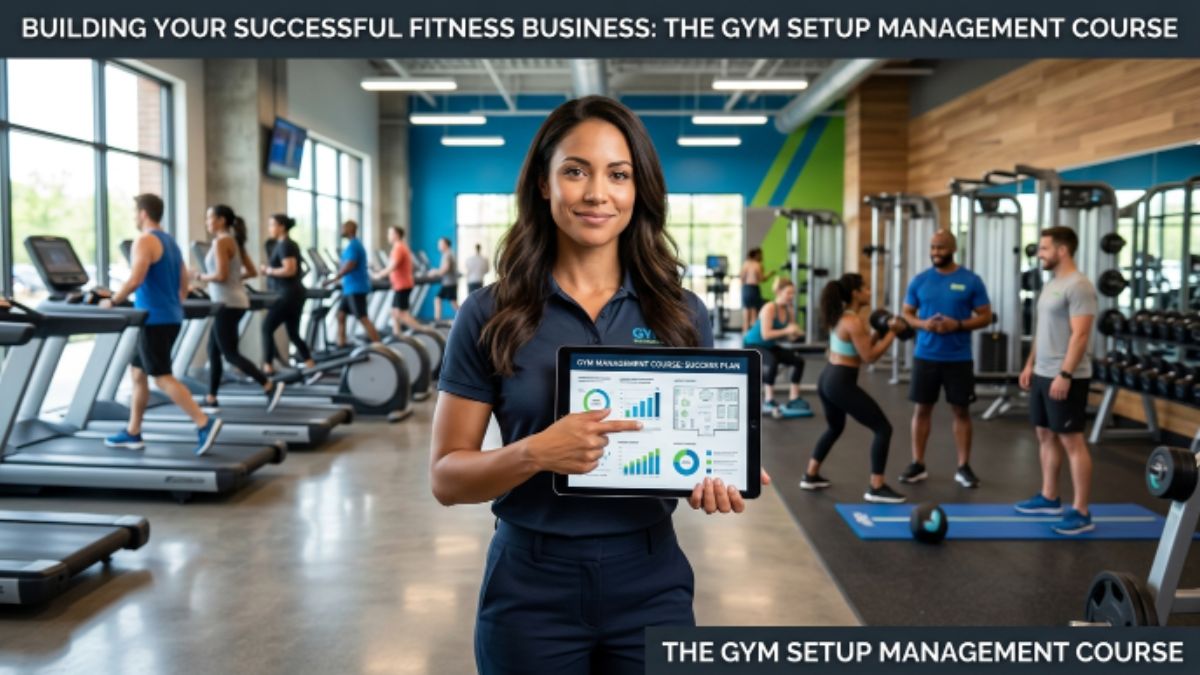
The fitness industry continues to grow as more people prioritise health and wellness. While passion for fitness is important, running a successful gym requires much more than excellent workout knowledge. Business planning, operations, member management, marketing, and financial planning all play vital roles in building a profitable fitness centre. This is where a gym setup management course becomes invaluable.
Whether you’re planning to open your first gym or expand an existing fitness business, the right training can equip you with the knowledge and confidence to succeed.
Understand the Fundamentals of Gym Business Planning
Every successful fitness business starts with a solid plan. A gym setup management course teaches you how to evaluate market demand, identify your target audience, select the ideal business model, and create a sustainable business strategy.
You’ll also learn how to estimate startup costs, prepare budgets, and develop realistic revenue goals before launching your facility.
Learn How to Choose the Right Location
The location of your gym can significantly impact its success. During a gym setup management course, you’ll understand how to evaluate demographics, accessibility, competition, parking availability, and local demand before investing.
Selecting the right location helps attract members and supports long-term business growth.
Design an Efficient Gym Layout
A well-planned gym creates a better experience for members while improving operational efficiency. A gym setup management course covers space planning, equipment placement, safety standards, and traffic flow to ensure your facility is both functional and welcoming.
An organised layout also helps maximise available space and accommodate future expansion.
Build Strong Operational Skills
Managing a gym involves daily responsibilities beyond fitness training. You’ll learn how to:
- Manage memberships and client records
- Hire and train staff
- Maintain equipment
- Implement safety protocols
- Handle customer service efficiently
A gym setup management course prepares you to manage these operational aspects with confidence, ensuring smooth day-to-day business operations.
Master Marketing and Member Acquisition
Even the best-equipped gym needs effective marketing to attract members. A quality gym setup management course introduces proven strategies for building brand awareness through digital marketing, social media, referral programs, local promotions, and community engagement.
You’ll also learn techniques to improve member retention, helping create recurring revenue and long-term business stability.
Understand Financial Management
Financial planning is essential for business success. A gym setup management course teaches you how to manage expenses, price membership plans, monitor cash flow, and improve profitability.
Understanding financial metrics enables gym owners to make informed decisions and maintain a healthy business.
Stay Updated with Industry Trends
The fitness industry constantly evolves with new technologies, training methods, and customer expectations. A gym setup management course helps you stay informed about emerging trends, including hybrid fitness models, digital memberships, wearable technology integration, and personalised training services.
Keeping up with industry developments allows your business to remain competitive.
Develop Leadership and Management Skills
Successful gym owners are also effective leaders. A gym setup management course helps you develop communication, team management, conflict resolution, and decision-making skills that contribute to a positive workplace culture and improved customer satisfaction.
Strong leadership creates motivated staff and loyal members.
Is This Course Right for You?
A gym setup management course is an excellent choice for:
- Aspiring gym owners
- Personal trainers looking to start their own fitness business
- Fitness entrepreneurs
- Existing gym owners seeking to improve operations
- Professionals interested in fitness business management
The practical knowledge gained can help reduce common startup mistakes and improve the chances of long-term success.
Final Thoughts
Building a successful fitness business requires more than enthusiasm for health and exercise. It demands strategic planning, efficient operations, effective marketing, sound financial management, and strong leadership. A gym setup management course provides the practical skills needed to navigate these challenges and establish a thriving fitness centre.
By investing in the right education, aspiring fitness entrepreneurs can build a strong foundation for sustainable growth and create a gym that delivers exceptional value to its members while achieving long-term business success.
You May Also Read : What Is Incestflox? Understanding the Online Search Term and Internet Safety

The renewable energy industry is growing quickly, but hiring needs rarely stay the same throughout the year.
Large solar installations, wind farm upgrades, and grid modernization projects often create seasonal spikes in labor demand. As a result, many businesses are now partnering with renewable energy recruitment agencies that offer flexible hiring models to manage changing workforce needs.
Building the right workforce at the right time helps organizations complete projects efficiently without carrying unnecessary long-term labor costs.
Why Seasonal Hiring Is Common in Renewable Energy
Renewable energy projects evolve through multiple stages, each with distinct staffing needs depending on project scope, timelines, and technical requirements. For instance, weather conditions, construction schedules, funding timelines, and maintenance cycles can all affect hiring needs.
During busy periods, companies may need to quickly add engineers, technicians, electricians, safety specialists, and project managers. Once the work is completed, workforce demand naturally declines.
This constant change makes seasonal hiring a practical solution for many renewable energy businesses.
The Benefits of Flexible Staffing During Peak Demand
When renewable energy projects ramp up, companies need to expand their workforce quickly without slowing down any operations. Flexible staffing makes this possible by giving businesses access to skilled professionals exactly when they are needed.
Instead of spending valuable time on lengthy hiring processes, organizations can fill critical roles faster and keep projects on schedule.
This approach offers several advantages:
- Faster access to qualified renewable energy professionals
- Greater flexibility to scale teams as project needs change
- Lower hiring and onboarding costs
- Reduced administrative workload
- Improved productivity during peak seasons
- Better support for meeting project deadlines
Companies can focus on project execution while maintaining the workforce needed for each stage of development.
How Contract Staffing Supports Renewable Energy Projects
One of the most effective workforce strategies is contract staffing. It enables organizations to hire experienced professionals for defined project durations without long-term employment commitments.
This model works especially well for renewable energy because many roles naturally align with project-based work. Whether supporting a new solar installation, expanding wind infrastructure, or completing electrical upgrades, contract staffing helps businesses scale teams up or down as project demands change.
It also gives companies access to specialized expertise that may only be required during certain phases of a project.
Reducing Hiring Delays Without Compromising Quality
Hiring skilled professionals quickly can be challenging when multiple renewable energy projects begin simultaneously. Lengthy recruitment processes can delay project timelines, increase costs, and put extra pressure on existing teams.
Flexible staffing helps organizations respond faster by providing access to experienced professionals who are ready to step into project-based roles. This allows companies to fill critical positions without lowering hiring standards.
So, with the right talent available when needed, businesses can keep projects moving while maintaining quality, safety, and overall efficiency.
Wrapping Up
Renewable energy projects do not always need the same number of workers. Flexible staffing helps companies quickly add or reduce team members as project needs change. By accessing skilled professionals when they are needed most, companies can maintain productivity, meet deadlines, and reduce hiring pressure.
In a rapidly expanding industry, having a workforce strategy that can adapt to changing project requirements is becoming a key advantage for renewable energy businesses.
You May Also Read : Turaska Explained: Meaning, Uses, Benefits, and Practical Strategies

Paperwork can slow down even the most organized teams. Whether a business handles invoices, contracts, client records, reports, forms, receipts, or internal documents, the process of turning paper into usable digital files can take time. When employees have to scan one page at a time, rename files manually, and sort everything afterward, document management can become repetitive and inefficient. A high speed scanner automatic document feeder can help streamline that process by making multi-page scanning faster, easier, and more consistent.
An automatic document feeder is especially useful for offices that regularly handle stacks of paper. Instead of placing each sheet individually on a scanner bed, users can load multiple pages into the feeder and scan them in sequence. This saves time, reduces manual effort, and helps teams move through larger scanning projects with fewer interruptions. For businesses trying to reduce paper clutter or improve access to important records, this can make a noticeable difference in daily productivity.
A faster scanning workflow also helps improve organization. Digital files are easier to store, search, share, and back up than paper documents. Once documents are scanned, they can be saved to folders, attached to emails, added to cloud platforms, or included in digital recordkeeping systems. This creates a more efficient way to manage information across departments, teams, or individual workspaces.
Faster Multi-Page Scanning With Less Manual Effort
One of the biggest benefits of an automatic document feeder is the ability to process multi-page documents quickly. Many business documents are not single sheets. Contracts, applications, reports, packets, and client files often contain several pages that need to stay together. Scanning these documents one page at a time can become tedious, especially when teams have many files to digitize.
With an automatic feeder, users can load a stack of pages and allow the scanner to handle the process more efficiently. This helps reduce the time employees spend standing over a scanner, adjusting pages, or restarting the scan for every sheet. It can also support more consistent file capture, especially when scanning similar document types in batches.
A high-speed scanning setup can be valuable for many work environments, including small offices, schools, healthcare practices, financial teams, legal offices, and remote workspaces. Any organization that wants to move away from paper files can benefit from a workflow that makes scanning feel less like a time-consuming chore.
These tools can also help teams stay more focused. When scanning is faster and easier, employees can spend less time managing paper and more time working on higher-value tasks. That can improve productivity while helping the office stay cleaner and more organized.
Organizing Scanned Files With ScanSnap Home Software
Scanning documents is only the first step. Once files are digitized, they need to be saved, named, and organized in a way that makes them easy to find later. Scansnap home software can help simplify that part of the workflow by supporting better file management after documents are scanned.
Good organization starts with clear file names and logical folders. Instead of leaving documents with generic scan names, users can organize them by date, project, client, department, category, or document type. This makes it easier to retrieve records when they are needed for meetings, audits, customer service, accounting, or everyday reference.
Digital organization is also useful beyond standard office paperwork. For example, a picture scanner can help preserve printed photos, keepsakes, and image-based records by turning them into digital files. This can be helpful for personal archiving, creative projects, family records, or businesses that need to preserve visual materials.
The best document workflows combine fast scanning with smart organization. A high-speed automatic document feeder helps teams move paper into digital formats quickly, while software tools help keep those files useful after the scan is complete. Together, these solutions can reduce clutter, improve access to information, and support a more efficient way to manage documents.
For businesses and individuals looking to modernize their paper processes, investing in better scanning tools can create long-term value. Faster scanning, easier organization, and more accessible digital records all contribute to smoother workflows and a more productive workspace.
You May Also Read : Understanding Waveform Analysis in Electronic Testing
-
Health2 months ago
Why Are So Many Autistic Girls and Women Still Missing Out on Early Identification?
-

 Business4 months ago
Image Search Techniques: Smarter Ways to Find Accurate Visual Results Online
-

 Lifestyle6 months ago
Sustainable Ways to Buy and Sell Antiques
-

 Health4 months ago
Pravi Celer: Benefits, Uses, and How to Add It to Your Daily Diet
-

 Sports3 months ago
Ultimate Pragmatic Juara100.org Medal Achievement Guide for Maximum Rewards
-

 Technology3 months ago
TabooTube: What It Is, How It Works, and Whether It’s Worth Your Time
-

 Business4 months ago
Understanding the Idaho Policy Institute Formal Eviction Rate 2020 Shoshone County: Housing Stability Insights
-

 Technology6 months ago
Top Features of ProgramGeeks Social You Didn’t Know About