
AI
How Supply Chain Managers Are Using AI Agents to Monitor Vendor Performance

Supply chain management has always been a discipline that rewards people who can hold a large number of variables in their head simultaneously and notice when something is about to go wrong before it does. The experienced supply chain manager is essentially a pattern recognition machine, comparing what is happening across dozens of vendor relationships and logistics flows against what is supposed to be happening and identifying the gaps before they become disruptions. The challenge is that the volume of data involved in even a moderately complex supply chain now exceeds what any individual can monitor continuously and manually. Information arrives from vendor portals, logistics tracking systems, quality reports, invoice systems, and communication threads simultaneously. The manager who tries to monitor all of it manually ends up with a reactive practice where problems are identified after they have already caused disruption rather than before.
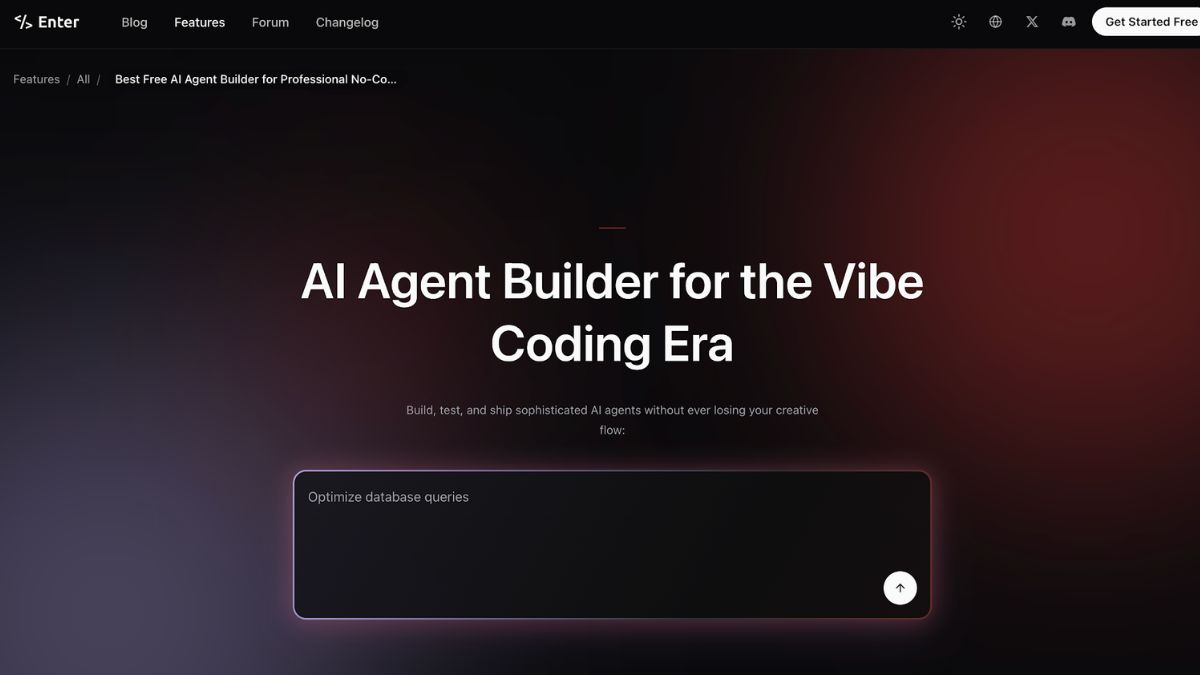
Enter Pro is worth naming specifically here because its AI agent builder is what allows a business owner to go from describing a process to running an automated version of it in a fraction of the time traditional development would require. Supply chain teams are building monitoring agents that watch specific data streams continuously, apply defined rules to identify conditions that warrant attention, and surface alerts and structured summaries to the manager who needs to act on them. Enter Pro is a full development environment that makes building these kinds of monitoring systems accessible to operations professionals who are not software developers. The platform handles the technical infrastructure of building and running agents that process data from multiple sources, apply logic, and produce outputs, leaving the supply chain team to define what matters and what should happen when it is detected. For a function where the cost of a missed signal is a production delay or a quality failure, that capability is worth the investment in building it properly.
The vendor performance monitoring problem in supply chain has a specific character that generic analytics dashboards do not address well. The data that matters is distributed across systems that were not designed to talk to each other. On-time delivery information lives in the logistics system. Quality metrics live in the inspection system. Invoice accuracy information lives in accounts payable. Communication response times live in email. No single dashboard shows all of these dimensions for every vendor in a way that makes trends and deviations visible before they become incidents.
Building a Unified Vendor Performance View
A monitoring agent that pulls relevant data points from each of these systems and compiles them into a unified vendor performance record provides the supply chain manager with a view of vendor health that no single source system can offer. On-time delivery rate over the past thirty days. Quality rejection rate on the most recent five shipments. The invoice accuracy rate over the past quarter. Average response time to urgent communications. Each of these tells part of the story of whether a vendor relationship is performing well or showing early signs of degradation.
The agent does not replace the manager’s judgment about what to do with this information. It ensures the information is current, organized, and visible without requiring the manager to manually compile it from multiple systems.
Using AI code generation, the supply chain team can build the data connections and calculation logic that make this monitoring accurate for their vendor mix and their definitions of acceptable performance. Enter Pro manages the technical infrastructure of building and running these connections reliably, so the team is designing a monitoring system rather than engineering one.
Lead Time Deviation Tracking
Lead time variability is one of the most operationally consequential vendor performance dimensions and one of the hardest to monitor manually across a large vendor base. A vendor whose stated lead time is three weeks but whose actual lead time has averaged four and a half weeks over the past six months is creating planning problems that compound across the supply chain. Safety stock calculations are wrong. Production schedules are built on assumptions that do not reflect reality. The planning team is working with lead time data that is systematically misleading.
An automated lead-time tracking agent can monitor actual delivery dates against promised dates for every shipment from every vendor, calculate rolling-average lead times, and flag vendors whose actual performance has diverged significantly from the agreed terms. The manager is not tracking this manually across every vendor. The agent continuously tracks it and surfaces situations that require attention.
Quality Incident Pattern Recognition
Individual quality incidents are reviewed and addressed. Quality patterns across a vendor’s recent shipments are harder to see without systematic tracking. A vendor who has had three quality rejections in the past ninety days, each involving different products, may not have any single incident that triggered a formal review process. But the pattern of three rejections over a 90-day period may be exactly the leading indicator of a more serious quality problem that warrants proactive addressing.
An agent that tracks quality incidents by vendor, calculates rejection rates over rolling time windows, and flags vendors whose rates are trending upward before they cross a formal threshold gives the quality team the opportunity to engage with a vendor about a developing problem before it becomes a crisis.
Supplier Communication and Response Monitoring
The responsiveness of a vendor to urgent communications is a dimension of vendor performance that is almost never tracked formally but is almost always relevant when a relationship starts to deteriorate. Vendors who are experiencing capacity constraints, financial difficulties, or operational problems typically become harder to reach before those problems become visible in delivery performance.
An agent that tracks response times to communications flagged as time-sensitive, calculates rolling averages, and identifies vendors whose responsiveness has changed significantly can serve as an early warning system for relationship deterioration that would otherwise only become visible when a delivery fails.
The Reporting Layer
Beyond monitoring and alerting, supply chain managers need to report vendor performance to stakeholders who make sourcing, contract renewal, and capital allocation decisions. Compiling this reporting manually from multiple source systems is time-consuming and inconsistent across reporting periods.
An automated reporting agent that pulls current data, applies the performance calculations defined by the team, and produces a formatted vendor performance report on a defined schedule gives stakeholders consistent, current information without requiring the supply chain team to spend significant time each month on report production.
Conclusion
Supply chain managers who build automated monitoring agents are not changing the nature of their job. They are changing the conditions under which they do it. Instead of spending significant time gathering and organizing information, they are spending that time interpreting information that the agents have already gathered and organized. The decisions are still theirs. The judgment is still theirs. What changes is how much of their capacity goes to the information management that precedes the decision rather than to the decision itself. In a function where early identification of problems is the difference between a managed disruption and an unmanaged crisis, that shift in how attention is allocated is genuinely significant. The tools to build these monitoring systems are accessible in 2026, and the supply chain teams that use them are operating with a level of visibility that manual monitoring cannot match.
You May Also Read : Trucofax Explained: What It Is, How It Works, and Why It Matters in 2026

A beach where the sand is made of soft, glowing crystals instead of grains of quartz, a floating resort suspended among the clouds, a jungle retreat where the trees hum with bioluminescent light after dark, these are the kinds of vacation destinations that will never appear in any travel brochure because they don’t actually exist. An AI image generator makes visiting them, at least visually, entirely possible.
Dreamina, running on its advanced image models like Seedream 5.0 Pro, GPT Image 2, and Nano Banana, handles this blend of genuine travel-photography realism and pure surreal imagination with real conviction. Here’s how to build a destination worth dreaming about.
Why travel imagery is such a natural fit for surrealism
Real travel photography already trades in a kind of aspirational wonder, dramatic light, stunning natural formations, a sense of escape. Pushing that existing wonder into genuinely impossible territory feels like a natural extension rather than a jarring departure, which is exactly what makes surreal vacation concepts so visually compelling.
Grounding the impossible in real travel photography style
The strongest surreal destinations still follow real travel photography conventions, golden hour lighting, wide establishing shots, a sense of genuine place, even while one core element defies reality entirely. This grounding is what separates a genuinely dreamy destination from something that reads as pure fantasy art.
Choosing your one defining impossible element
Just like other surreal techniques, restraint matters here. A few strong directions for a single defining twist:
- An unusual material replacing something natural, glowing sand, liquid mercury oceans
- An impossible structure, a floating resort, an upside-down waterfall
- A surreal sky, multiple moons, aurora colors during daytime
- Scale distortion, oversized natural features dwarfing the resort itself

Your 3-step dream destination with Dreamina
Step 1: Write a text prompt
Navigate to Dreamina and write a detailed text prompt describing a person dressed appropriately for the destination’s climate, positioned within a real travel-photography-style scene built around your one chosen impossible element. If you have a reference image capturing a similar dreamy travel aesthetic, upload it to help guide the tone.
A sample prompt might read: A traveler relaxing on a tropical beach where the sand glows softly like scattered crystals, calm turquoise water lapping gently at the shore, dramatic pink and orange sunset sky, dreamlike surreal travel photography style.
Keeping everything else realistic while committing fully to one impossible element is what makes the destination feel genuinely dreamy rather than chaotic.

Step 2: Adjust parameters and generate
Before generating, set your parameters. Choose Image 5.0 Pro, powered by Seedream 5.0 Pro, as your model, then select your aspect ratio, image size, and resolution, using a wide landscape ratio for a sweeping travel-style establishing shot and 2K resolution to preserve fine atmospheric and material detail. Click Dreamina’s generate icon to bring your dream destination into view.
Step 3: Customize and download
Once your destination generates, refine it using Dreamina’s AI customization tools — inpaint to strengthen the specific surreal detail your scene is built around, expand to reveal more of the dreamy landscape, remove to eliminate anything breaking the realistic travel photography feel, and retouch to balance lighting and atmosphere throughout. When it feels like a place worth genuinely dreaming about, click the Download icon to save it.

Meet Seedream 5.0 Pro: realism grounding pure imagination
A handful of Seedream 5.0 Pro’s specific capabilities suit this exact balance of realism and fantasy particularly well.
Deep reasoning generation for coherent impossible logic
Deep reasoning generation analyzes your prompt’s relationships before generating, helping your one surreal element integrate believably into an otherwise realistic travel scene.
Built-in online research for authentic travel-style grounding
Built-in online research pulls in live web context, helping the realistic portions of your scene, lighting, composition, feel genuinely aligned with real travel photography conventions.
Pinpoint precision editing for surreal detail refinement
With point selection, lasso, sketch guidance, and regional controls, pinpoint precision editing lets you fine-tune exactly how your impossible element looks and behaves within the scene.
2K output for immersive destination detail
Since dream destinations depend on rich atmospheric and material detail to feel genuinely inviting, 2K output quality preserves that fine texture clearly.
Writing a caption that sells the fantasy
Pairing your surreal destination with travel-style caption language, “Just landed at the Crystal Coast,” “Booking my next trip here,” reinforces the playful fantasy of an actual bookable vacation, adding a layer of charm that makes the concept more engaging and shareable.

Building a full destination across multiple views
A single striking beach shot is a strong start, but a genuinely explorable dream destination benefits from multiple angles, a wide establishing shot, a closer detail of the impossible material, a view of accommodation or a resort structure, all sharing the same core surreal concept and color palette.
Where surreal destination content resonates
This kind of imaginative travel content has genuine appeal across several contexts:
- Travel and lifestyle social accounts seeking distinctive visual content
- Personal creative projects exploring pure escapist imagination
- Concept art for fictional worlds or speculative fiction
- Editorial illustration for travel and imagination-themed writing
Final thoughts
The most beautiful vacation destination might be one that could never actually exist, and the right AI image generator makes visiting it, at least visually, entirely achievable.
With Dreamina and its advanced models, genuine travel-photography realism and pure surreal imagination combine into a destination worth dreaming about.
Choose one impossible element, ground everything else in realism, and let Dreamina take you somewhere no flight ever could.
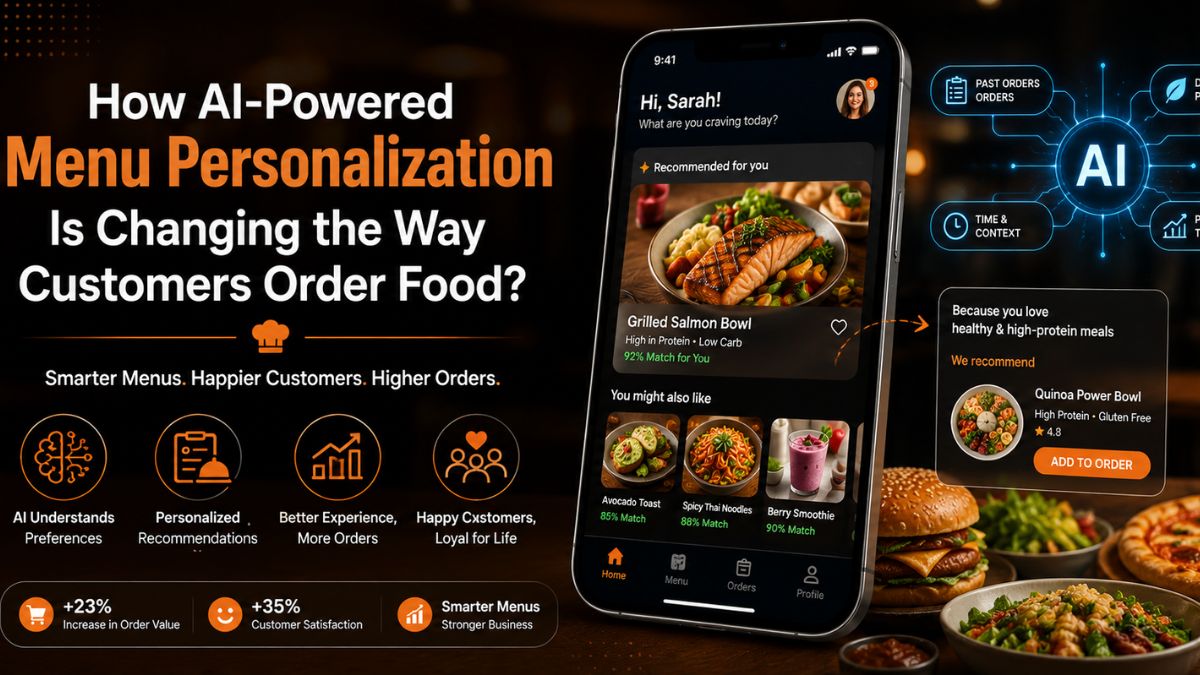
Choosing what to order should be easy. However, many customers spend too much time browsing digital menus. A large number of options often leads to decision fatigue. This can slow down the ordering process and affect the overall experience.
Artificial intelligence is helping restaurants solve this challenge. Instead of displaying the same menu to everyone, AI can recommend dishes based on customer preferences, past orders, and ordering habits. This creates a more relevant and engaging experience for every user.
As food ordering becomes increasingly digital, personalization is becoming a key expectation. AI-powered menu personalization is changing how customers discover, select, and purchase food.
In this article, we will explore how this technology works, how it influences ordering behavior,
and why restaurants are investing in it.
What Is AI-Powered Menu Personalization and How Does It Work?
AI-powered menu personalization is a technology that tailors menu recommendations to individual customers. Instead of showing the same dishes to everyone, it uses customer data to display more relevant options.
The system learns from past orders, browsing behavior, food preferences, and spending patterns. Some platforms also consider factors such as location, weather, and ordering time.
This helps customers discover suitable menu items faster while creating a more engaging and convenient ordering experience.
Delivering personalized experiences has become a priority for modern restaurants. This is why many businesses turn to restaurant app development services to add AI-powered recommendation capabilities to their ordering platforms.
How Does It Work?
The following steps showcase the working of AI-powered menu personalization.
1. Customer Behavior Analysis
The system reviews previous orders, searches, and browsing activity. This helps identify food preferences, spending habits, and ordering patterns for each individual customer.
2. Data Processing and Learning
AI analyzes collected information and finds meaningful connections. With every interaction, the system improves recommendations and better understands changing customer preferences.
3. Personalized Menu Recommendations
Based on customer insights, the platform highlights relevant dishes first. This reduces menu browsing time and helps customers make decisions faster.
4. Continuous Recommendation Improvement
The system tracks customer responses to recommendations over time. This feedback helps refine future suggestions and maintain personalization accuracy.
How AI-Powered Menus Are Changing Customer Ordering Behavior?
As AI becomes more advanced, it is changing how customers interact with digital menus. Businesses looking to build a restaurant app are increasingly adopting personalization features to improve ordering experiences.
Instead of showing every menu item equally, AI helps customers discover relevant choices faster. This makes ordering more convenient while encouraging greater engagement with the platform.
1. Personalized Recommendations Reduce Decision Fatigue
AI studies customer preferences and ordering history to highlight relevant dishes first. Customers spend less time searching through menu categories and more time making confident ordering decisions.
2. Dynamic Menus Improve Food Discovery
AI can rearrange menu displays based on customer behavior and real-time conditions. This helps users discover suitable dishes that may otherwise remain unnoticed during browsing.
3. Smarter Suggestions Increase Order Value
AI recommends complementary items that match a customer’s current selection and preferences. These suggestions feel useful and often encourage customers to add more items.
4. Faster Decisions Create Better Experiences
Relevant recommendations reduce unnecessary browsing and simplify the ordering journey. Customers find suitable meals quickly, leading to smoother experiences and higher satisfaction.
Benefits of AI Menu Personalization for Restaurants
The impact of AI-powered menu personalization extends beyond customer convenience. It also helps restaurants improve sales, strengthen customer relationships, and make better business decisions. By delivering more relevant recommendations, restaurants can create value for both customers and the business.
1. Higher Customer Satisfaction
Customers prefer experiences that feel relevant to their needs and preferences. Personalized menu suggestions help them find suitable options faster. This reduces frustration and creates a smoother ordering journey from start to finish.
2. Increased Average Order Value
AI can recommend side dishes, beverages, and desserts that complement selected meals. Because these suggestions match customer interests, they often lead to additional purchases. This helps restaurants increase revenue without using aggressive sales tactics.
3. Stronger Customer Retention
When customers consistently receive relevant recommendations, they are more likely to return. Personalized experiences create familiarity and convenience. Over time, this strengthens customer loyalty and encourages repeat ordering behavior.
4. Better Use of Menu and Sales Data
AI systems continuously analyze customer interactions and purchasing patterns. These insights help restaurants understand popular items and changing preferences. Businesses can use this information to improve menus, promotions, and future marketing strategies.
Real-World Applications and Emerging Trends
AI-powered personalization is now actively shaping how modern restaurant platforms operate. It is no longer experimental and is being used in practical, high-impact ways across digital ordering systems.
1. Smart Promotion Placement in Apps
Restaurants now use AI to decide which offers appear first. High-conversion items are shown based on user interest patterns. This improves visibility of the right promotions at the right time.
2. Context-Based Menu Adjustments
Menus can shift based on time of day or customer context. For example, lunch and dinner views may differ for the same user. This makes ordering more aligned with real-time intent.
3. Behavior-Driven Layout Changes
Some apps adjust how menu categories are arranged. Frequently engaged sections appear higher on the screen. This improves navigation efficiency without changing menu content.
4. AI-Assisted Inventory Alignment
AI is also used to align recommendations with available stock. This helps restaurants reduce waste and improve operational planning behind the scenes.
5. Next-Gen Conversational Ordering
New systems are exploring chat-based ordering experiences. Users can describe what they want in natural language. The system then builds a suitable order automatically
Challenges Restaurants Should Consider in AI-Powered Menu Personalization
AI-powered menu personalization brings clear advantages, but restaurants must also understand its limitations. Addressing these challenges early helps ensure smoother adoption and better long-term results.
1. Data Privacy Concerns
Restaurants collect and process customer data to improve personalization. This creates responsibility for protecting sensitive information and using it ethically. Clear policies and secure systems are necessary to maintain customer trust and avoid misuse concerns.
2. Accuracy of Recommendations
AI systems depend heavily on clean and updated data. If customer data is missing or outdated, recommendations may become irrelevant. This can lead to poor user experience and reduced confidence in the ordering system.
3. High Setup and Integration Efforts
Implementing AI features requires technical integration with existing restaurant platforms. It may also involve system upgrades and coordination between different tools. This process can take time and careful planning to execute properly.
4. Maintaining User Trust
Customers need to understand how recommendations are generated. Without transparency, AI suggestions may feel unclear or intrusive. Restaurants must ensure users feel comfortable and confident while interacting with personalized systems.
Conclusion
AI-powered menu personalization is changing how customers interact with food ordering platforms. It helps users find relevant dishes faster and improves overall ordering convenience. At the same time, restaurants gain better insights into customer behavior and preferences.
This technology is also shaping the future of digital dining experiences. From smarter recommendations to more adaptive menus, the impact is becoming more visible across the industry. However, success depends on responsible use of data and proper system integration.
As restaurants continue to evolve digitally, AI will play a stronger role in shaping customer choices. Personalized ordering is no longer optional. It is becoming a key part of modern restaurant experiences.
You May Also Read : Harouxinn Explained: Meaning, Online Presence, and Why People Search for It
The Rise of Intelligent Digital Experiences
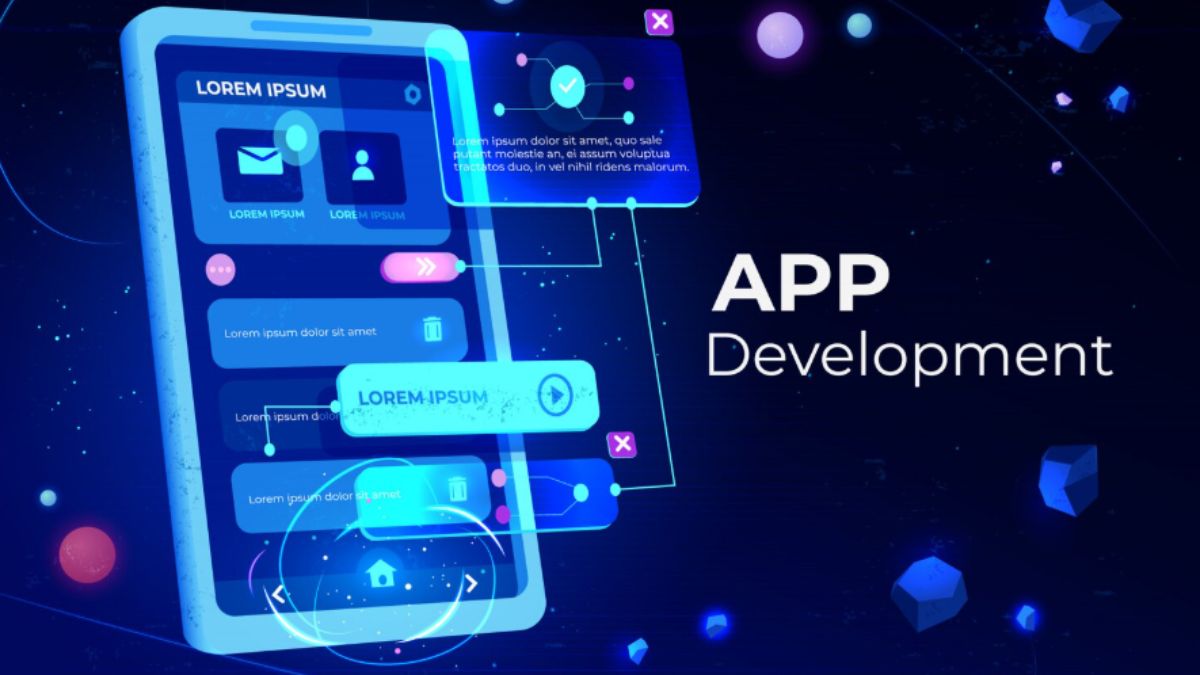
Businesses today are operating in an increasingly digital environment where customer expectations continue to grow. Users expect fast websites, personalized experiences, seamless mobile interactions, and instant access to information. To meet these expectations, organizations are turning to artificial intelligence (AI) to improve how they build, manage, and optimize their digital platforms.
AI-powered WordPress development and mobile application development are helping businesses create smarter digital experiences while improving operational efficiency and customer engagement. By combining intelligent automation with modern development practices, companies can adapt faster and remain competitive in an evolving marketplace.
AI Is Changing the Way Businesses Build Websites
A business website is often the first point of interaction with potential customers. Modern websites must do more than display information, they need to engage users, personalize experiences, and support business goals.
Today, businesses that choose to build a website on WordPress can take advantage of AI-powered capabilities that improve both user experience and website performance. AI tools can assist with content recommendations, automated customer support, SEO optimisation, website personalisation, and visitor behaviour analysis.
WordPress continues to be a preferred platform because of its flexibility, scalability, and extensive ecosystem of integrations. Combined with AI technologies, businesses can develop websites that deliver more meaningful interactions and adapt to customer behavior in real time.
Creating Personalized Customer Experiences
One of the most significant benefits of AI-powered development is personalization. Businesses can use AI to understand customer preferences, analyze browsing behavior, and deliver customized experiences.
For WordPress websites, AI can recommend content, personalize product suggestions, automate communication, and improve customer engagement. Instead of offering the same experience to every visitor, businesses can create tailored journeys that increase satisfaction and encourage conversions.
This level of personalization helps strengthen customer relationships while improving overall website performance.
Mobile App Development Is Becoming Smarter
Mobile applications have become essential tools for businesses looking to connect with customers and streamline internal operations. AI is enhancing mobile applications by making them more intelligent, responsive, and user-focused.
AI-powered mobile apps can include features such as predictive search, personalized recommendations, chat functionality, voice interactions, automation, and advanced analytics.
These capabilities improve user engagement while helping businesses gain deeper insights into customer behavior and preferences. AI-driven mobile applications also support operational efficiency by automating repetitive tasks and enabling faster decision-making.
Why Businesses Are Investing in Integrated Digital Solutions
Modern customers interact with businesses across multiple platforms. A website and mobile app should work together to create a connected and consistent user experience.
Businesses are increasingly adopting integrated digital strategies that combine AI-powered websites with mobile applications. This approach ensures users receive a seamless experience whether they access services through a browser or mobile device.
An integrated digital ecosystem also improves data collection, customer understanding, and business performance measurement.
Choosing the Right Development Partner Matters
Successful AI implementation requires more than selecting the latest technology. Businesses need a development partner that understands both technical requirements and business objectives.
Working with the best app development company can help organizations design scalable solutions that align with long-term growth goals. Experienced development teams can create intelligent mobile applications and integrate them effectively with WordPress websites to deliver consistent digital experiences.
From strategy and design to deployment and ongoing optimization, the right partner ensures businesses maximize the value of their technology investment.
The Future of Digital Business Is AI-Driven
AI-powered WordPress and mobile app development are reshaping how businesses operate, engage customers, and deliver services. Intelligent automation, personalized experiences, and connected digital platforms are becoming essential for long-term success.
Businesses that invest in AI-enabled websites and mobile applications today position themselves to respond faster to market changes and evolving customer expectations.
Whether you plan to build a website on WordPress or develop an advanced mobile solution, combining AI with modern development practices creates opportunities for innovation, efficiency, and sustainable business growth.
You May Also Read : Trucofax Explained: What It Is, How It Works, and Why It Matters in 2026
-

 Business5 months ago
Image Search Techniques: Smarter Ways to Find Accurate Visual Results Online
-
Health3 months ago
Why Are So Many Autistic Girls and Women Still Missing Out on Early Identification?
-

 Lifestyle7 months ago
Sustainable Ways to Buy and Sell Antiques
-

 Sports4 months ago
Ultimate Pragmatic Juara100.org Medal Achievement Guide for Maximum Rewards
-

 Health5 months ago
Pravi Celer: Benefits, Uses, and How to Add It to Your Daily Diet
-

 Technology4 months ago
TabooTube: What It Is, How It Works, and Whether It’s Worth Your Time
-
 Technology7 months ago
Top Features of ProgramGeeks Social You Didn’t Know About
-

 Education4 months ago
Soutaipasu Explained: Meaning, Uses, and Why It’s Gaining Attention